| Connect to Headset | 15
Connect to Headset
• Enter Headset into Pairing Mode
• Connect to Mobile Phone/PC via Bluetooth
• Reconnect Headset to Mobile Phone/PC Manually
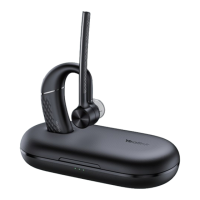
Enter Headset into Pairing Mode
Slide and hold the power switch away from the off position for 3 seconds until you hear "pairing mode", and
the headset's LED indicator flashes red and blue.
Related information
Headset Overview
Connect to Mobile Phone/PC via Bluetooth
• Pair with Mobile Phone
• Pair with PC (BH71 Pro)
Pair with Mobile Phone
Before you begin
Make sure the headset is in Bluetooth pairing mode.
Procedure
1. Activate Bluetooth on your mobile phone and set it to search for new devices.


 To Next Page
 Loading...