| Connect to Headset | 16
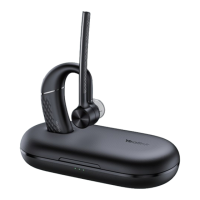
2. Select Yealink BH71 on your mobile phone.
Note:
• The Yealink BH71 is the default device name. You can edit the device name via the Yealink
USB Connect application.
• The headset can connect to two devices simultaneously.
Related information
Enter Headset into Pairing Mode
Pair with PC (BH71 Pro)
The BT51 dongle has been pre-paired with the headset and ready for use, and you just only need to power
on the headset.
1. Connect the BT51 dongle to your PC.
2. The headset and PC pair automatically.
After the connection is successful, the BT51 dongle's LED indicator turns solid blue and the headset's LED
indicator turns solid blue for 2s.
Note:
• The BT51 dongle can only connect to one headset at a time.
• The headset can connect to two devices simultaneously.
• For more information on the compatible PC, refer to the specific compatible guide.
Related tasks
Manually Pair Headset with BT51


 To Next Page
 Loading...