Smart Media Phone – SIP-T56A
Note:
• The IP phone should be used with Yealink original power adapter (5V/2A) only.
The use of the third-party power adapter may cause the damage to the phone.
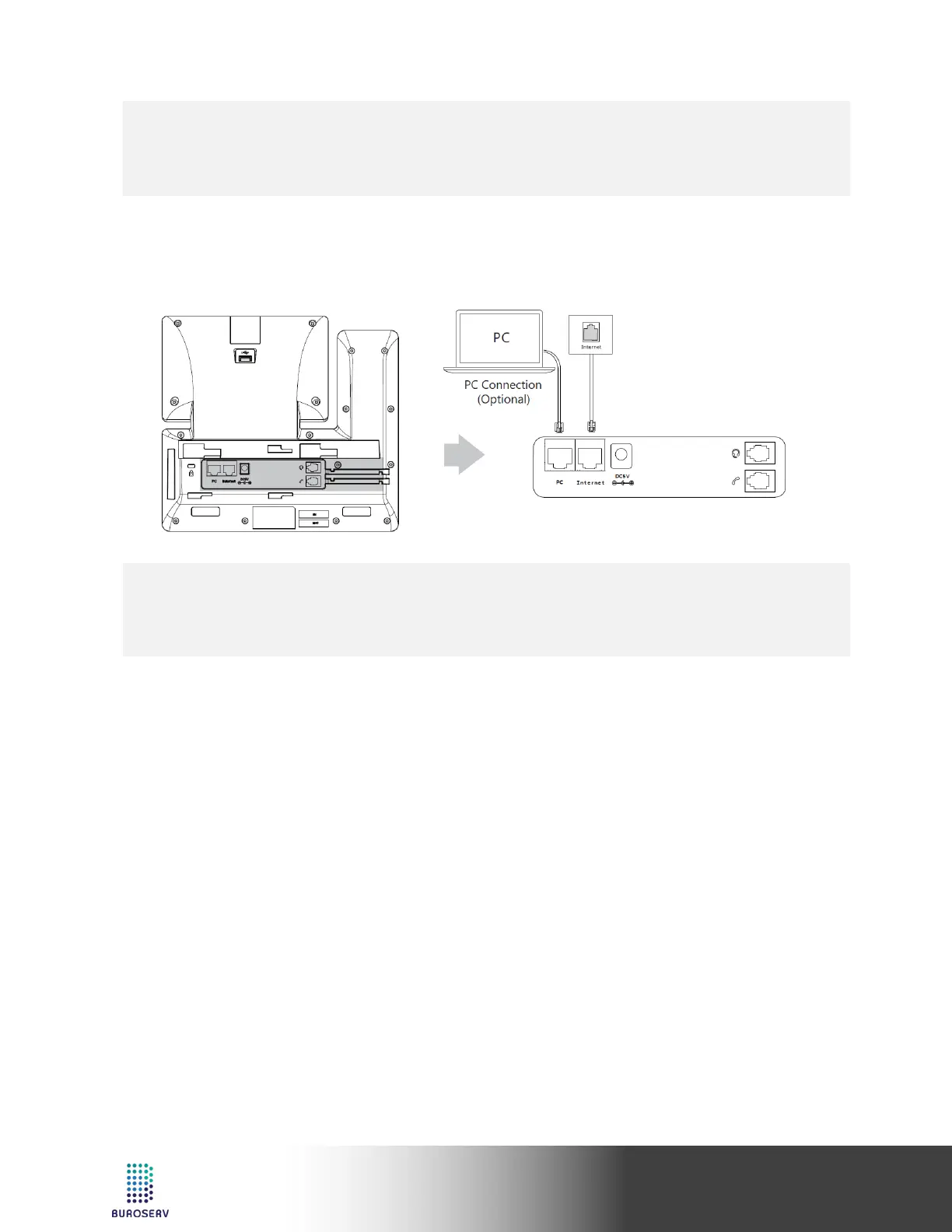
6. Connect to the network, as shown below:
You have two options for network connection. You can select one of them according to the current office
environment.
a) Connect to the wired network:
Note:
• If you are connecting a PC to your phone, we recommend that you use the Ethernet cable provided by
b) Connect to the wireless network:
1) Swipe down from the top of the screen to enter the control center.
2) Tap Settings->Basic->Wi-Fi.
3) Tap the On radio box in the Wi-Fi field.
The phone will automatically search for available wireless networks in your area.
4) Select an available wireless network from the list of networks.
5) If the network is secure, enter its password in the Password field.
6) Tap Connect to connect to the wireless network.



 To Next Page
 Loading...










