Start or Stop Sharing Content
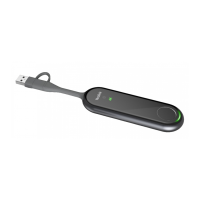
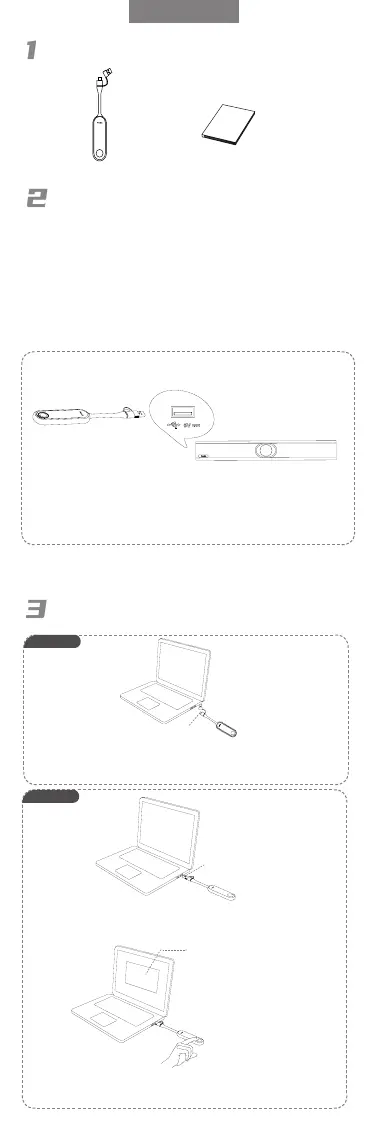
Package Contents
Pair WPP30 to the Endpoint
WPP30 Quick Start Guide
If you purchase one of above endpoints and WPP30 together,
they are already paired. Just connect the WPP30 to your
computer for sharing content.
If you purchase the WPP30 separately, you need to pair
endpoint and WPP30 manually.
To pair endpoint and WPP30 manually:
1. Connect the WPP30 to the USB-A port on the endpoint.
2. Disconnect the WPP30 after the monitor prompts “
Wireless Presentation Pod is Paired successfully ”.
WPP30 supports different Yealink endpoints. The pairing
methods of different endpoints are different. For details,
please refer to support.yealink.com.
ENGLISH
1. Connect the WPP30 to the USB-A port of the PC
.
Wait Yealink Wireless Presentation Pod software pops up.
1. Connect the WPP30 to the USB-C port of the PC, and the PC starts
sharing automatically.
2. Unplug the WPP30 or press the presentation button to stop sharing.
2. On the WPP30, press the presentation button to share full screen.
3. Unplug the WPP30 or press the presentation button to stop sharing.
Yealink Wireless Presentation
Pod software
Option 1
USB-C
USB-A
Option 2


 To Previous Page
 Loading...