As delivered from the factory, the 68860 beeps when turning on and when keys are
pressed. This sound can be muted as follows:
1. Make sure the power is on.
2. While holding the “ZERO” key, press the “ON/OFF” key. The musical symbol
on the left of the display will turn off to indicate that the sound has been muted.
Repeat steps 1 and 2 to turn the sound back on.
NOTE: The Mute function only affects the power-on and key-press beeps. It has no
effect on the alarm.
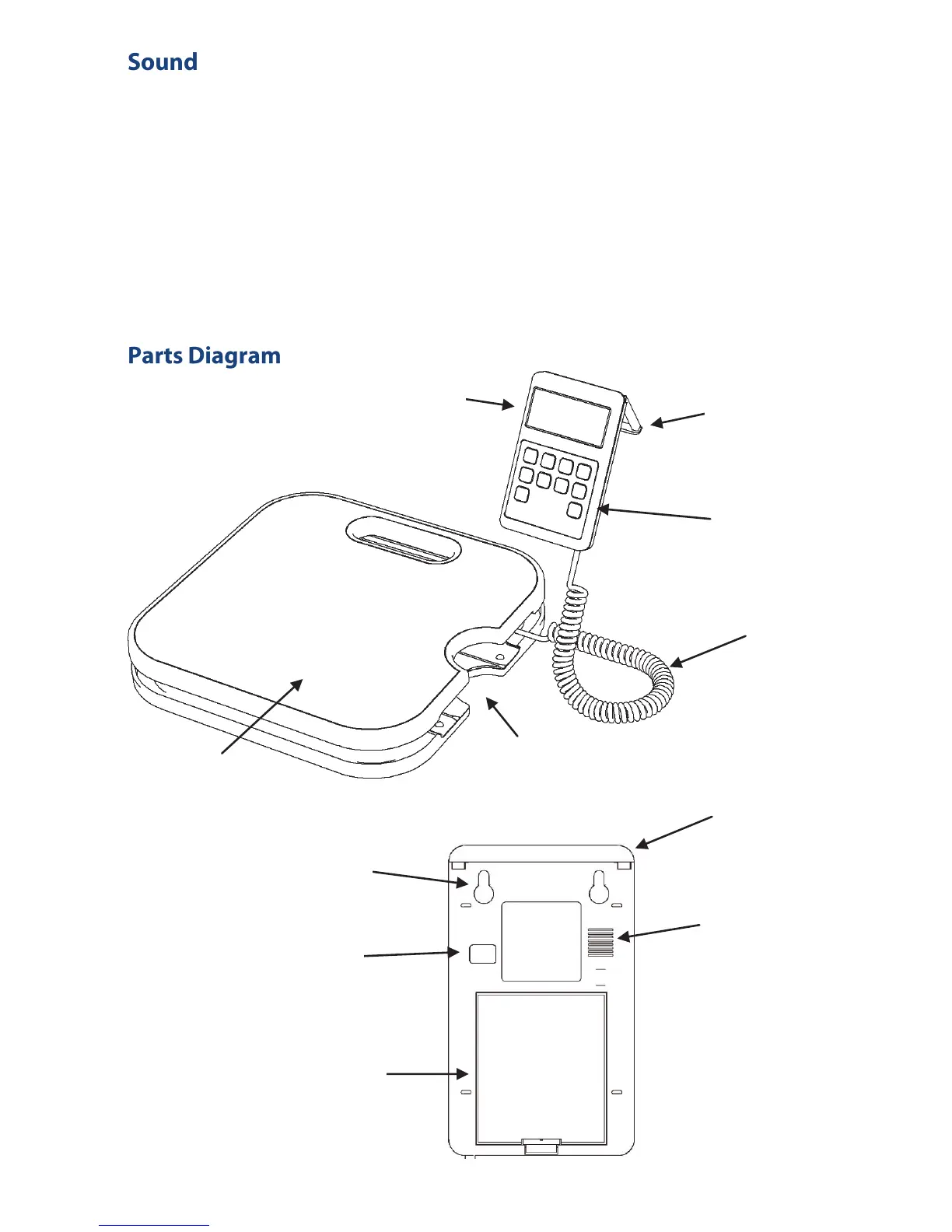
LCD Display
Prop Stand
(Extended)
Keypad
Weighing Platform
Coiled
Cord
Mounting
Hooks
Speaker
Grill
Prop Stand
(Retracted)
Optical Port
(Not used on
this model)
Battery
Cover
Storage
Dock
Control Box Rear View
6


 To Next Page