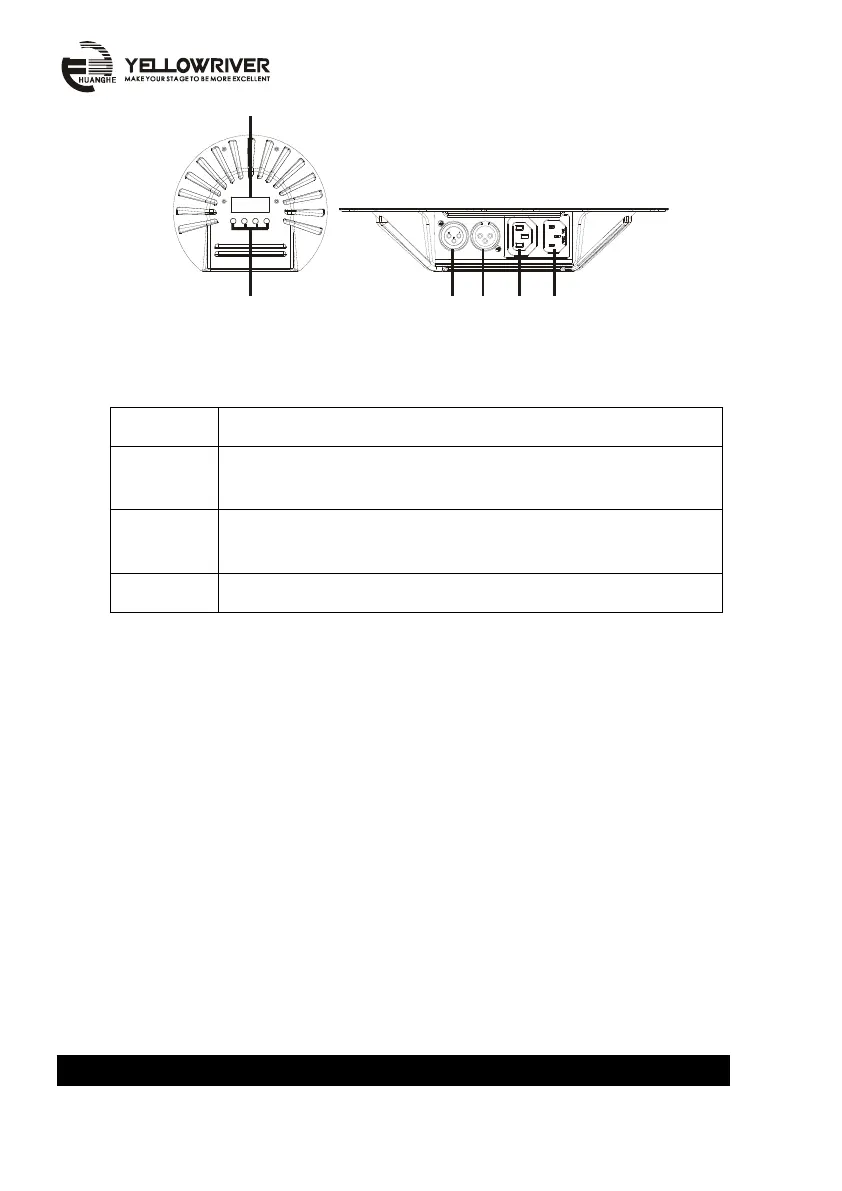
1. Display
Display menu and selected function.
2. Button
On function: page up
On numerical value: increase value
On function: page down
On numerical value: reduce value
Settle selected function and value
3. DMX signal input
Control model by DMX signal,please use 3pin XLR signal cable.
4. DMX Signal output
Transfer DMX signal to next model, please use 3pin XLR signal cable.
5. Power output
Connect to obtain power (attention:please use connect to stated voltage.)
6.Power input
Connect to obtain power
LED displayed function reference table A:YR-1190 / YR-1190-III


 To Next Page
 Loading...