The microphone has been set to an ideal internal gain setting, without the
need for physical level adjustments on the microphone body. Any necessary
level adjustments to set the ideal recording level can be made from within your
recording program, or via your computer’s system preferences.
To manually adjust your input level via your computer’s system preferences, use the
following instructions relevant to your device platform/operating system.Connect
the other end to computer.The power indicator light will turn blue if it is working
properly.
Adjusting the input level on a Mac OS computer:
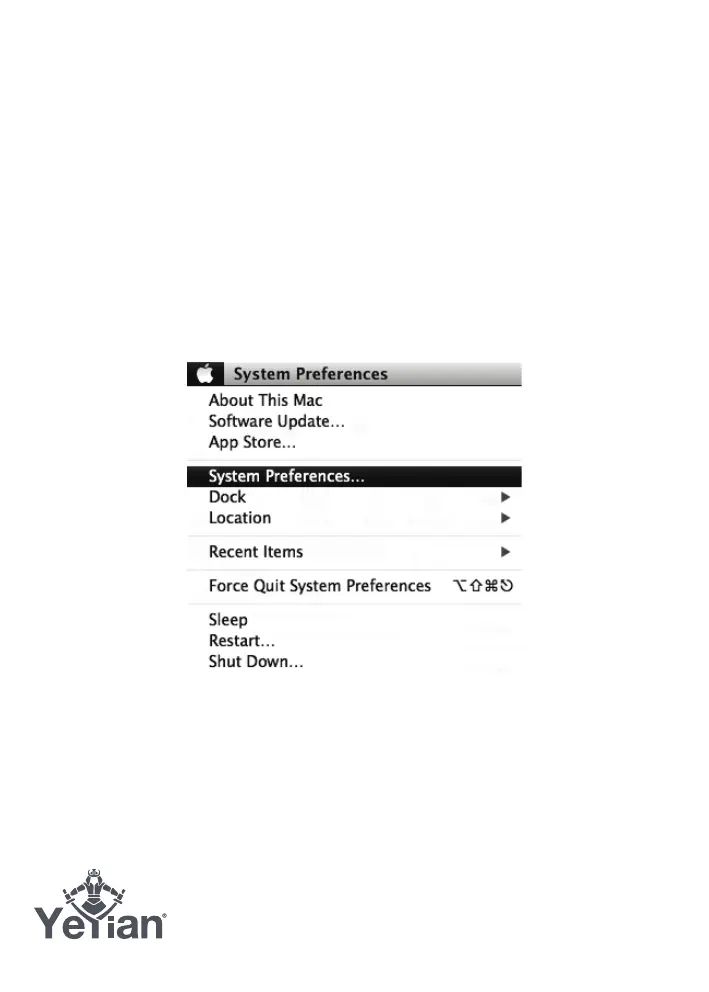
1. Click on the Apple symbol at the top left of your screen, and select System
Preferences.
Diagram 6-1 - Accessing Mac OS System Preferences
2. Click on ‘Sound’ to open the sound options.

 To Next Page
 Loading...