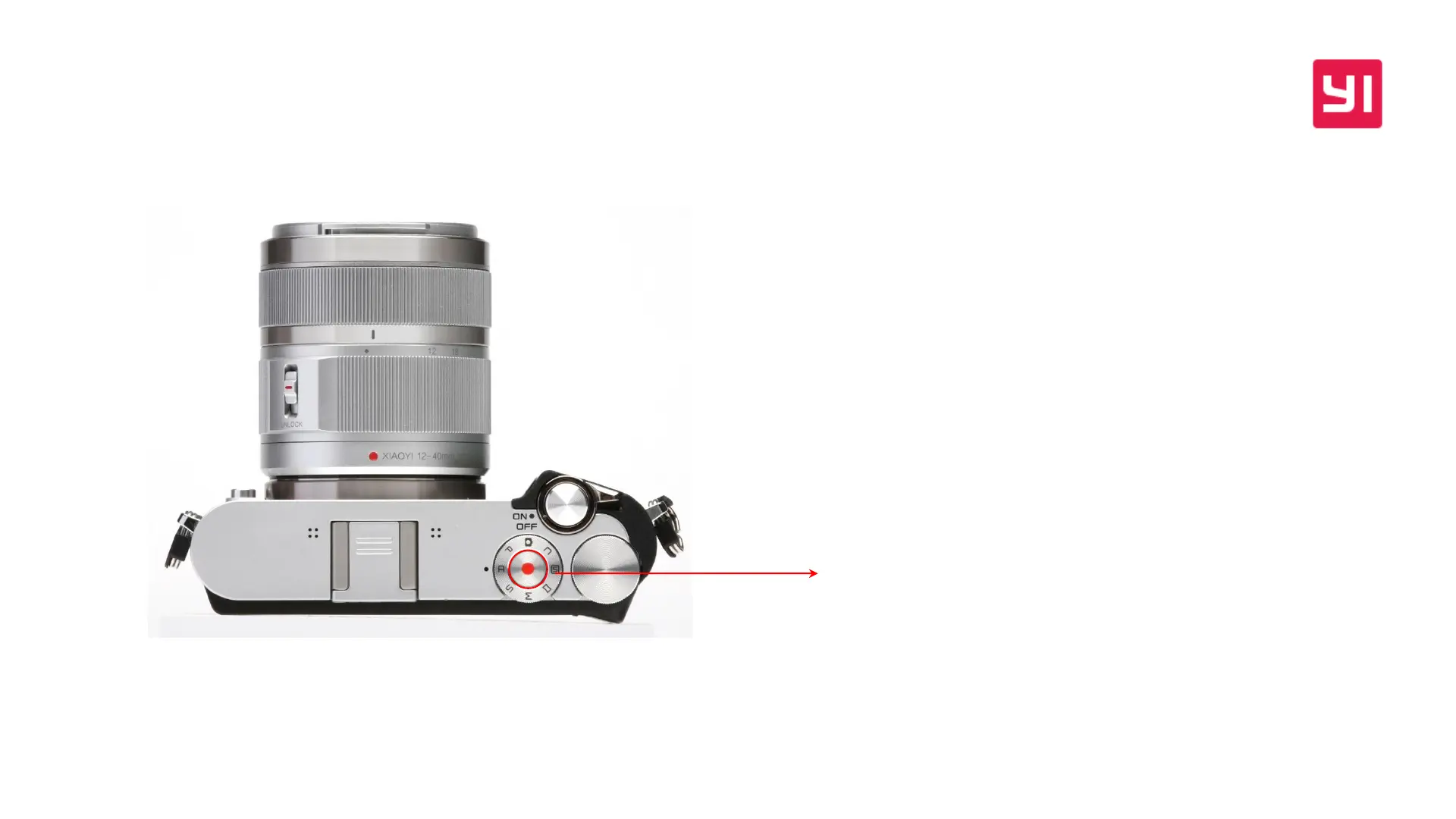
在P/A/S/M四个模式下,长按REC键2秒,可以进入视频Live View,进
入后可以进行基于视频P/A/S/M曝光模式的AE控制,可以进行视频相
关的MENU设置;
在自动/C/场景/全景 模式下,长按REC键2秒,可以进入视频Live View,
进入后可以以全自动模式进行视频拍摄,但不能进入视频MENU设置,
不支持AE和AF控制
In P / A / S / M modes, long press the REC button for 2 seconds, you will
enter video Live View. After that, you can process AE control of the
exposure mode in the four modes and change video settings.
In AUTO / C / scene / panorama mode, long press REC button for 2
seconds, you will enter Video Live View. After that, you can shoot a video
in the auto mode. However, video settings can’t be changed, and does not
support AE and AF control either.
如何进入视频Live View
How to enter Video Live View


 To Next Page