Product menu introduction
1. Settings
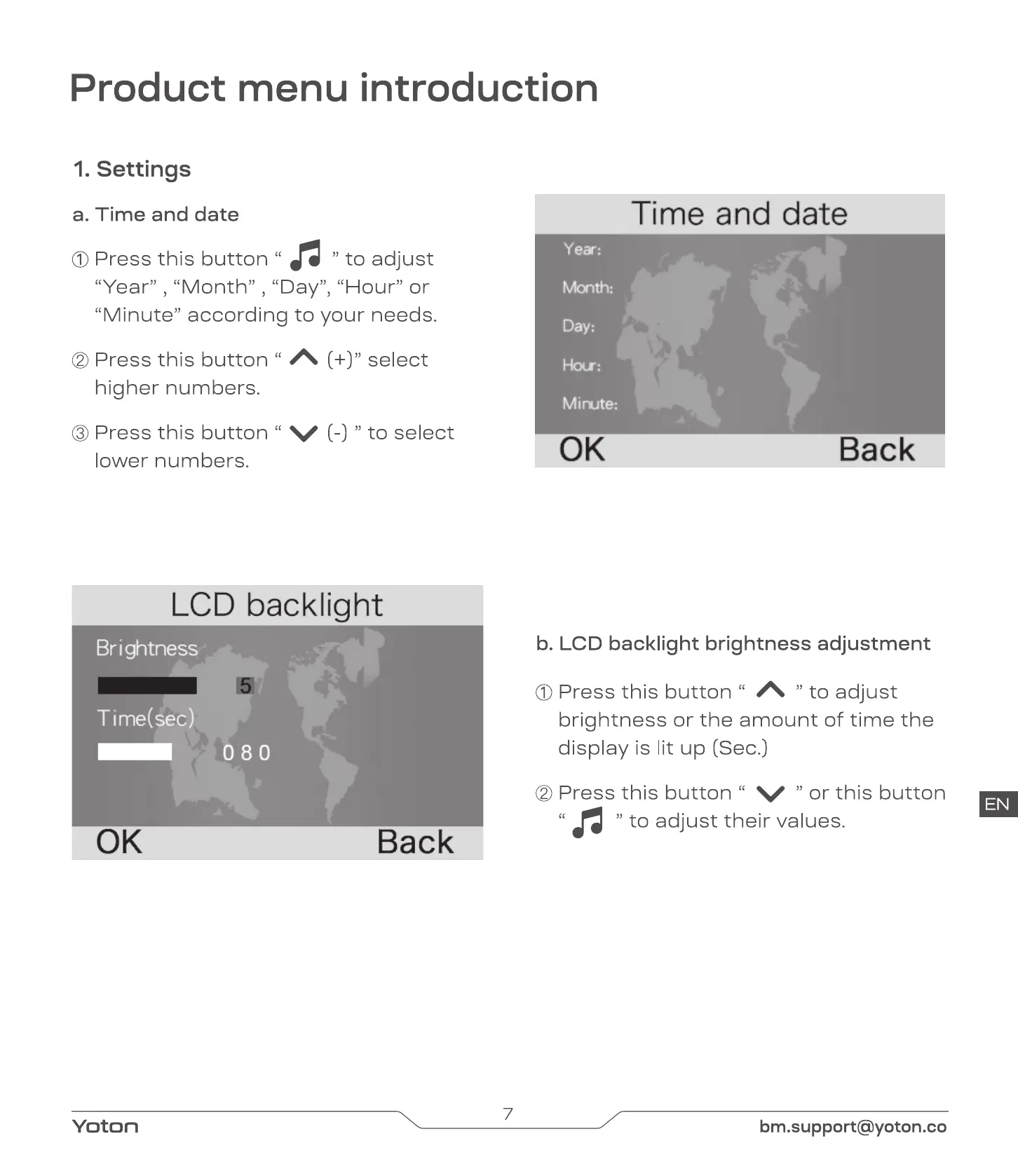
a. Time and date
O Press this button
to adjust
"Year" , "Month" , "Day", "Hour" or
"Minute" according to your needs.
@ Press this button
higher numbers.
O Press this button
lower numbers.
(+)" select
V (-) " to select
Month:
Minute:
0K
Time and date
Back
LCD backlight
Bri ghtness
5
Time(sec)
Yoton
Back
b. LCD backlight brightness adjustment
O Press this button " " to adjust
brightness or the amount of time the
display is lit up (Sec.)
@ Press this button " V " or this button
EN
to adjust their values.
7
bm.support@yoton.co


 To Next Page