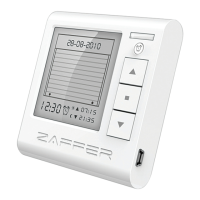
Need help?
Do you have a question about the ZAFFER MULTI TIMER and is the answer not in the manual?
Explains the UP, STOP, and DOWN buttons for controlling shutters.
Details how to activate or deactivate the timer function on the device.
Explains how to set specific times for shutters to move up or down.
Explains indicators for selected channel and shutter location.
Describes the ALL button and low battery warning indicator.
Instructions for downloading software and connecting the device via USB.
Guide to setting the device's time zone and date/time.
Steps to select the country and city for accurate time zone settings.
How to assign descriptive names to individual shutters in the software.
How to select the specific shutter or sun protection for timer settings.
Guide to choosing specific days of the week for timer operations.
Instructions to set the specific time for shutters to move upwards.
How to specify the time for shutters to move downwards.
Procedure for removing or clearing existing timer settings.
Visual guide for correctly installing AA batteries into the device.
Important safety notes regarding incorrect battery types and disposal.
How professionals retrieve and enter the 'Day code' from/into the software.
Guide for installers to enter or delete motor numbers for shutters.
Process for transmitting the configured settings to the device.
Official statement of the product's compliance with R&TTE directive.
Details of the product's power, frequency, temperature, and protection level.
 General
| Brand | ZAFFER |
|---|---|
| Model | MULTI TIMER |
| Category | Control Unit |
| Language | English |

 To Next Page