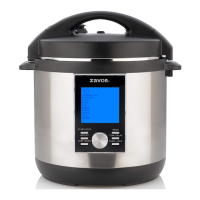
Z LUX LCD Multi-Cooker QuickGuide
Thankyou for purchasingthe ZAVORLUXLCDMulti-Cooker.Beforeyou begin using the unit, pleasereadthe Important Safeguards
section of the user manual.
Parts of the LUX LCD
Condensation reservoir
(can be removed)
Stationary pot
(cannot be removed)
LCD Panel
Cool-touch handle
Temperature sensor
Heating element
Stainless steel
removable cooking pot
Steamer Basket with Trivet
Closing the Lid
• Close and lock the lid by aligning the locking pin on the
lid with the unlocked icon on the base, then turn the lid
counterclockwise until the locking pin meets the lock
icon.
• The lid will lock automatically when it is properly
aligned and closed.
• While cooking under pressure you will not be able to
open the lid until all of the internal pressure is released.
ZAVOR
Note: All ingredients must go into the removable cooking pot.
Panel Anatomy
LCD Screen: Interactive screen displays all
the functions and settings. The screen is blue
when programing your settings, and turns
green when unit is cooking.
START/STOP: Used to start & stop the unit.
ADJUST: Used when you want to adjust
pressure, temperature and cooking time.
KEEP WARM: Used to warm your food. Will
also automatically activate once cooking time
has ended.
DIAL KNOB: Turn knob navigates through the
different functions and settings.
MENU: Used to return to the main menu.
TIME DELAY: Used to delay the start of the
cooking process. Push TIME DELAY and use
the dial to adjust the time when cooking
should being.
PANEL LOCK: Used to lock and unlock the
buttons. To lock or unlock, press and hold the
button.
START/STOP
ADJUST
KEEP WARM
MENU
TIME DELAY
PANEL LOCK

 Need help?
 General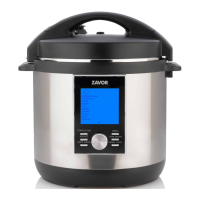

 To Next Page