Instructions for replacing the cartridge
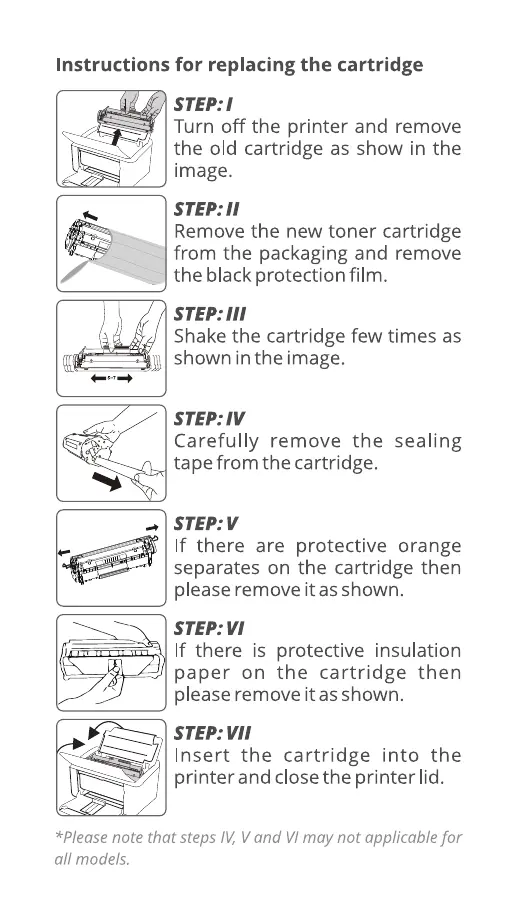
STEP: 1
Turn off the printer and remove
the old cartridge as show in the
image.
STEP: 11
Remove the new toner cartridge
from the packaging and remove
the black protection film.
STEP: 111
Shake the cartridge few times as
shown in the image.
STEP: W
Carefully remove the sealing
tape from the cartridge.
STEP: V
If there are protective orange
separates on the cartridge then
please remove it as shown.
STEP: VI
If there is protective insulation
paper on the cartridge then
please remove it as shown.
STEP:
Insert the cartridge into the
printer and close the printer lid.
*Please note that steps IV, V and VI may not applicable for
all models.


 To Next Page
 Loading...