9
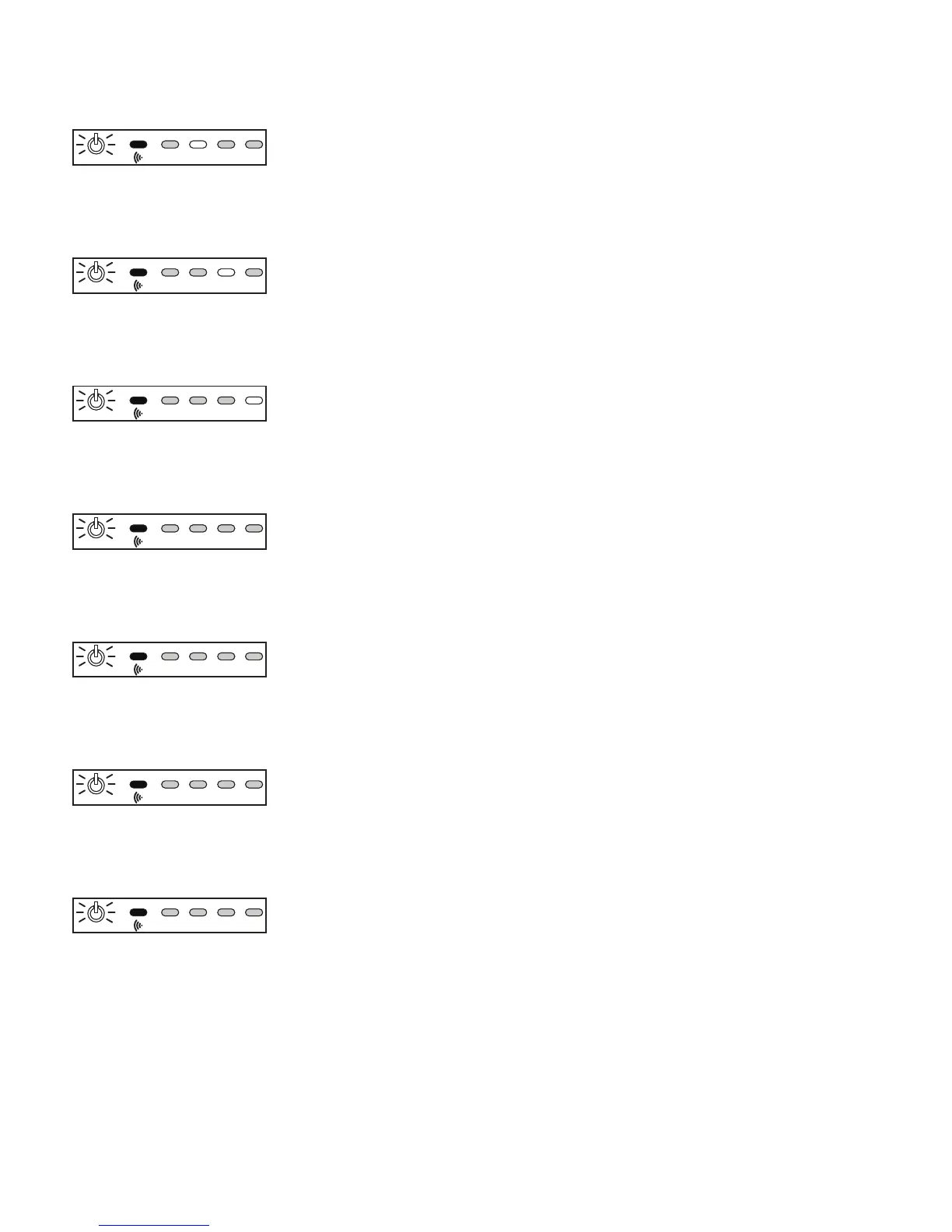
STEP 4 4 The Power indicator blinks slowly, and input 2 is selected.
Press the key on your remote that you want to use as the new key
for S
ELECTIN2.
1 BLINK
STEP 5 5 The Power indicator blinks slowly, and input 3 is selected.
Press the key on your remote that you want to use as the new key
for S
ELECTIN3.
1 BLINK
STEP 6 6 The Power indicator blinks slowly, and input 4 is selected.
Press the key on your remote that you want to use as the new key
for SELECTIN4.
1 BLINK
STEP 7 7 After a pause, the Power indicator blinks 2 times, and repeats.
Press the key on your remote that you want to use as the new key
for P
OWERTOGGLE.
2 BLINKS
STEP 8 8 After a pause, the Power indicator blinks 3 times, and repeats.
Press the key on your remote that you want to use as the new key
for S
ELECTIN-.
3 BLINKS
STEP 9 9 After a pause, the Power indicator blinks 4 times, and repeats.
Press the key on your remote that you want to use as the new key
for S
ELECTIN+.
4 BLINKS
STEP 10 10 After a pause, the Power indicator blinks 5 times, and repeats.
Press the key on your remote that you want to use as the new key
for S
ETDIMMODE.
5 BLINKS
1
2
3
4
1
2
3
4
1
2
3
4
1
2
3
4
1
2
3
4
1
2
3
4
1
2
3
4
1
2
3
4
1
2
3
4
1
2
3
4
1
2
3
4
1
2
3
4
1
2
3
4
1
2
3
4



 To Next Page