07 08
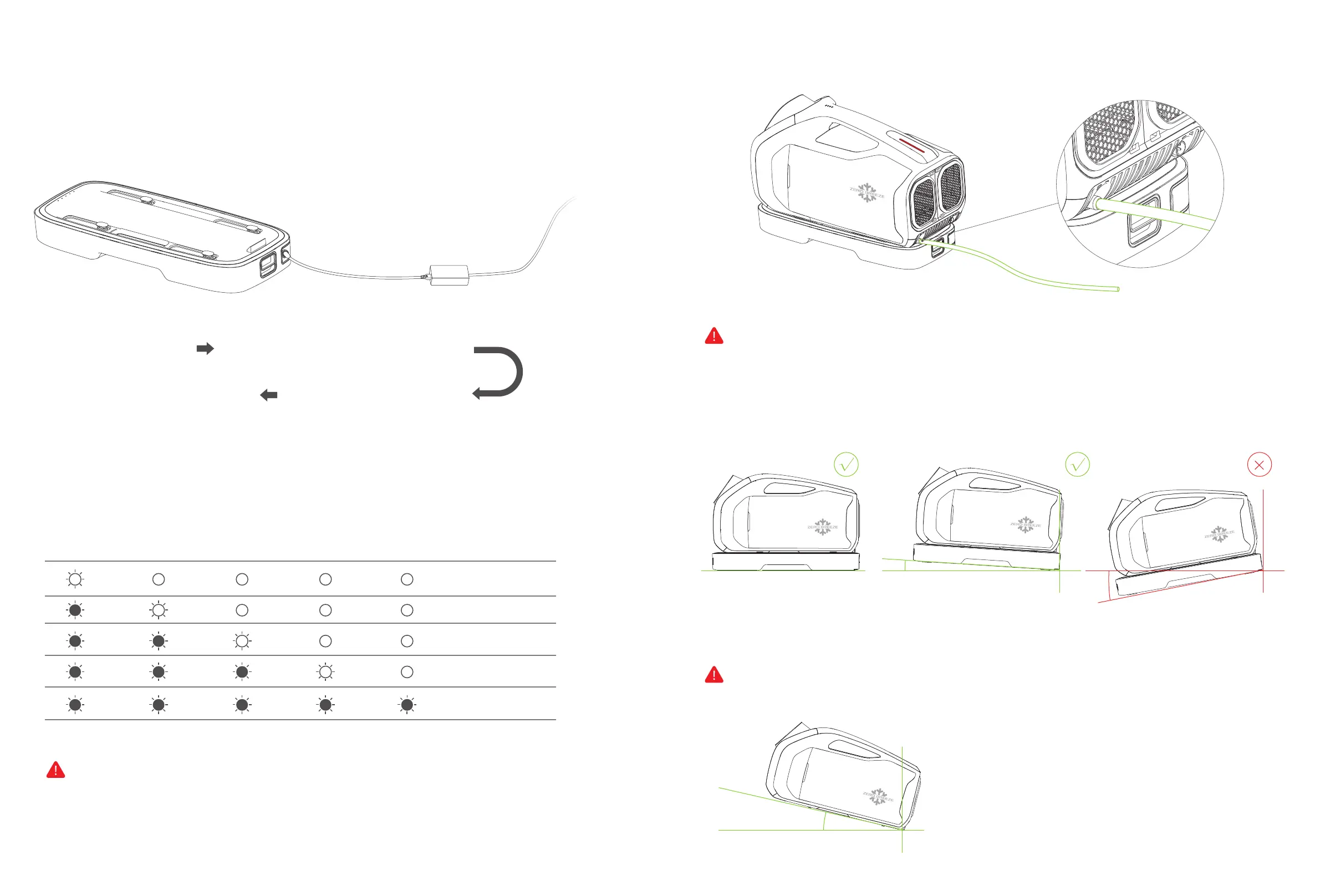
Battery Input Interface Mark 2 Power Adapter
Home AC 100~240V(50Hz/60Hz)
Home AC
100~240V(50Hz/60Hz)
Battery charging status indicator flashes
Charging the battery through the power adapter
BATTERY charging state
*Zero Breeze will not be held responsible for any consequences caused by charging with chargers not provided by Zero Breeze.
*When the battery level indicators are all on, it means that the battery is fully charged.
*The batteries shown in this manual need to be purchased separately, please refer to the zerobreeze.com for more details.
24V Power Adapter
*Take care not to place the drain hose close to the power supply.
*Make sure that the hose is fastened and that there are no leaks and no kinks that impede the flow of water. Make sure that the end of the hose is
facing down to allow the water to flow smoothly.
ACCESSORY CONNECTION Drain pipe connection instructions
LED1 LED2 LED3 LED4 LED5 Current power
0%-20%
20%-40%
40%-60%
60%-80%
Full
1.Air condition needs to be equipped with drain pipe.
Connect the drain pipe to the drain and place the other end of the drain pipe into a container or drain area.
2. The machine should be kept level when it is in use. It is best to leanitbackward5-10 degrees, not forward or left or
right, otherwise the condensate water will leakfrom the front, side andbottom of the air conditioner.
3. Do not move the air conditioner immediately after using the air conditioner. Tilt the air conditioner backwardsslowly
by 30 degrees to ensure that the water in the air conditioner is drained.
Note: if there is leakage due to improper placement, there is no need to be nervous, just wipe it or cool it naturally, it will
not affect the performance of the machine.
√ √ ×


 To Next Page