4. Connect Wi-Fi and activate the APP control
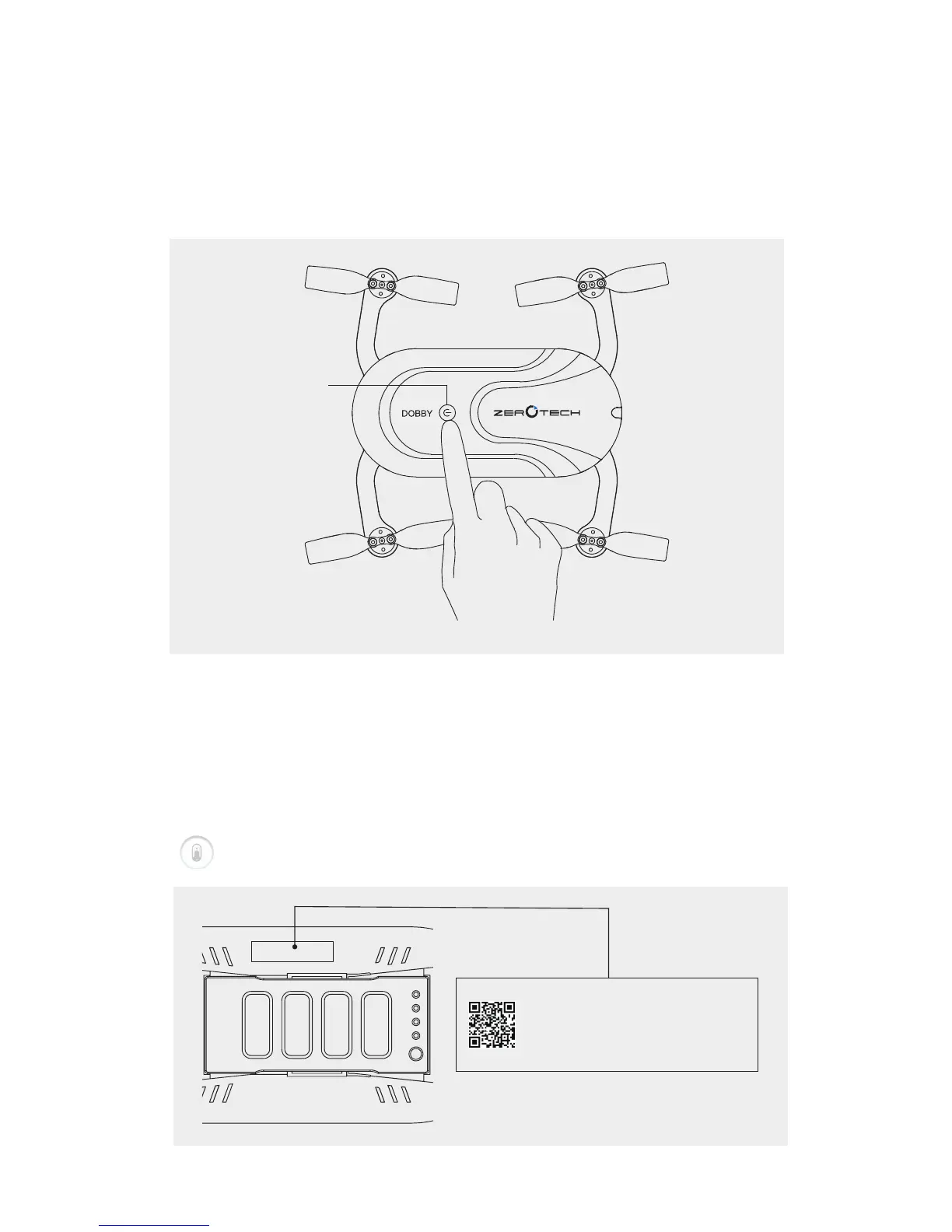
⒞. Power on the aircraft
Long press the Power Button for 3 seconds, release until the light
flashes blue. When you hear the sound, it means the aircraft is
ready.
Check the Wi-Fi name at side edge of aircraft. Search the Wi-Fi
started with DOBBY and enter the default password “zerotech”.
After the connection of Wi-Fi, open the Do.fun App and tap the icon
“ ” to enter the controlling interface.
Hold
Power Button
SN: ****************
WIFI: Dobby-******
PWD: zerotech
SSID
Password



 To Next Page