Power Up
Please plug the device into an active outlet and wait 1 min.
The power indicator LED will be solid green when powered up.
Connect to Camera’s Wi-Fi
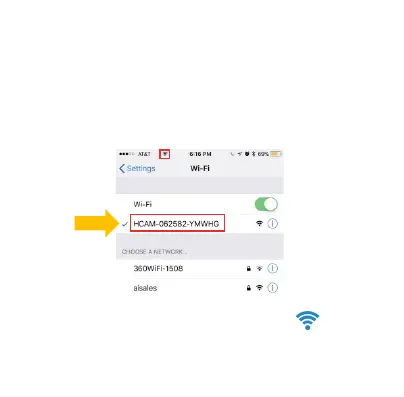
Open your smartphone setting, search and connect to the
Wi-Fi wireless signal with the name starting with "HCAM-“
Wait for the Wi-Fi to connect, and the phone’s status
bar to appear showing the Wi-Fi symbol:



 To Next Page