zhiyun-tech.com
7. Connect to“ ZY Cami” App
1. Power on SMOOTH-Q4 and turn on Bluetooth on the smartphone.
2. Launch the ZY Cami app. Tap the camera icon in the upper left corner in the home
screen to open the device list and select the SMOOTH-Q4 device you wish to connect
(the SMOOTH-Q4 Bluetooth name can be checked on the axis arm USER ID: XXXX).
3. Activation on the“ ZY Cami” app is required if the SMOOTH-Q4 connects the“ ZY Cami”
app for the first time. Internet connection is required. After the activation succeeds, you
can enter the camera interface of ZY Cami App.
① ② ③
SMO OTH-Q _xxx x
① ZY Cami is an app dedicatedly designed for SMOOTH-Q4. After activating SMOOTH-Q4
via the app, you can also use the app for many other advanced features such as
SmartFollow, gesture control, timelapse, SMART mode, etc.
②The app is subject to updates without notice. Please always refer to the latest version.
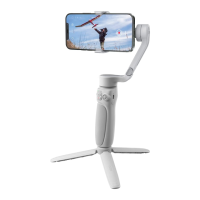
8. Packing
⑤
EN
①
②
③
④
Quick start guide


 To Next Page
 Loading...