Page 48 MS - SOUND decoders MS440 to MS990 and MN - NON-SOUND decoders MN170 to MN340
((((( 1 F0 ((((( 2 F1 ((((( 3 F2
((((( 4 F3 ((((( 5 F4 ((((( 6 F5
((((( 7 F6 ((((( 8 F7 ((((( 9
F8
Key arrangement on the ZIMO MX32:
((((( 1 F0 ((((( 2 F1 ((((( 3 F2
((((( 4 F3 ((((( 5 F4 ((((( 6 F5
((((( 7 F6 ((((( 8 F7 ((((( 9 F8
NOTE: these sounds can also be allocated as function sounds allocated to function keys (see
next page); the automated back-ground sounds can then be cancelled with the function keys.
Selecting boiling, whistle, blow-off, brake squeal sounds…
within a sound collection or a sound project with several samples of this kind/for these classes:
The selection procedures for these “automated background sounds” are initiated with an operational
mode “Pseudo-Programming”
CV #300 = 128 for the boiling sound (steam only) .
CV #300 = 129 for direction-change sound .
CV #300 = 130 for the brake squeal .
CV #300 = 131 thyristor-control sound (electric engine) .
CV #300 = 132 for the “start” whistle or horn .
CV #300 = 133 for blow-off sound =cylinder valves (STEAM only) .
CV #300 = 134 for the driving sound of ELECTRIC engines
CV #300 = 135 for rolling noise
CV #300 = 136 for the switchgear sound of ELECTRIC engines
CV #300 = 137 for a second Thyristor sound (ELECTRIC engines) .
CV #300 = 141 for the turbo charger (DIESEL engine) .
CV #300 = 142 for the “dynamic brake“ (Electric brake, ELECTRIC engines)
The selection procedure for background sounds is the same as for the selection of chuff sounds. EX-
CEPT: the engine should be at a standstill because the speed regulator is used for setting the
volume of the relevant sound file!
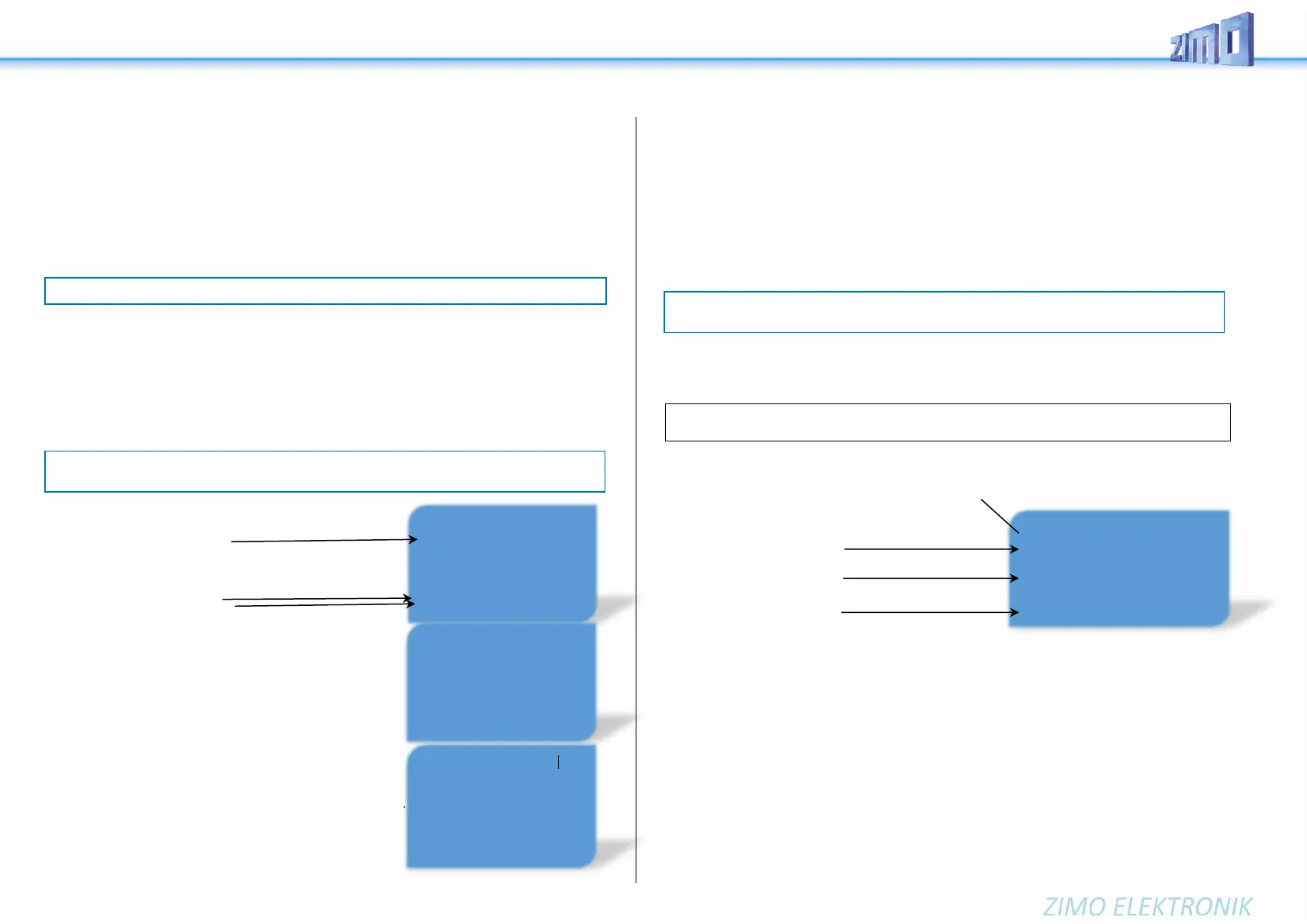
The function keys have the following special
meaning during the selection procedure!
Speed slider for volume control
Function keys similar to selection of chuff sounds:
F0 = play: Playing back the selected sounds.
F1, F2 = prev, next: Switching to previous or
next sound sample.
F4, F5 = prev, next: switches between sound groups, see right
The speed regulator acts as volume control
For the background sound during the selection procedure.
F3 = CLEAR + end: The selection procedure ends and
the current Background sound is turned off.
F8 = STORE + end: The selection procedure ends;
The selection procedure can be ended by any other
programming procedure or by removing power.
Allocating sound samples to function keys F1 - F63
within a sound collection or a sound project with several samples of this kind/for these classes
Each function or function key F1 - F19 can be assigned a sound sample from the pool of stored sound
samples within the decoder, It is absolutely permissible to have a function key assigned for a function
output (FO1, FO2 etc.) as well as for a sound function, both of which will be activated when the key is
pressed. The switch input allocation procedure is initiated with the operations mode Pseudo-Program-
ming
CV #300 = 1 for function F1
CV #300 = 2 for function F2
etc.
CV #300 = 99 for function F0 (!)
The allocation procedure is very similar to the selection procedures for driving and background sounds,
with the difference that sound allocation is not limited to sound samples of a certain group but also
allows switching between groups to find the desired sample.
Sound samples are organized in groups for easier location; i.e. groups like “short whistle” / “long
whistle” / “horn” / “bell” / “shoveling coal” / “announcements” and much more.
The engine should remain stationary, since the speed regulator is used for volume settings during
the allocation procedure!
Depends on entry: F1 - F19
The function keys have the following special
the function keys have the following special meaning!
F0 = play: plays back the current sound file for evaluation.
F1, F2 = prev, next: Playback of previous or next sound sample, which is
stored in the sound decoder
F4, F5 = prev, next: Switches between sound groups (e.g. whistles, bells, coal shoveling etc.); starts
playback with the first sample of this group.
F6 = loop: If F6 is active when ending the allocation procedure: The sound
sample shall be played back as long as the key is
Playable whistle! active, by repeating the part of the sample between the loop
markers (they are included in the stored sound sample).
F7 = short: If F7 is active when ending the allocation procedure: The sound
sample shall be shortened to the time, the key is active,
by leaving out the part in the middle to the short marker.
F6 --- SAMPLE ---
((((( play ((((( prev ((((( next
CLEAR --- CLASS ----
((((( + end ((((( prev ((((( next
----- LOOP ----- STORE
((((( loop ((((( short ((((( + end
Boiling --- SAMPLE --- (((((
play ((((( prev ((((( next
CLEAR --- CLASS ----
((((( + end ((((( prev (((( next
STORE
Braking squeal --- SAMPLE ---
((((( play ((((( prev ((((( next
CLEAR --- CLASS ----
((((( + end ((((( prev ((((( next
STORE
.
Blow-off --- SAMPLE ---
((((( play ((((( prev ((((( next
CLEAR --- CLASS ----
((((( + end ((((( prev ((((( next
STORE
NOTE: Function F4 is by default used for water drainage sound (with CV #312); if F4 is to be used
for something different, CV #312 must be set to zero (CV #312 = 0).
NOTE: the blow-off selection (CV #300 = 133) is also valid for function key playback (CV #312).


 To Next Page
 Loading...