Need help?
Do you have a question about the ZINK hAppy and is the answer not in the manual?
Lists the printer, zRolls, and AC power adapter included in the package.
Explains the purpose and use of the included cleaning zRoll for maintenance.
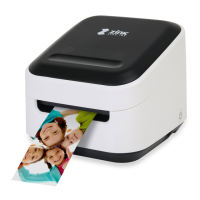
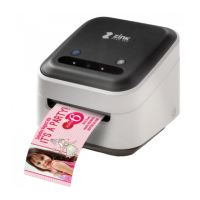
Identifies and describes the function of buttons, ports, and the output slot on the printer.
Lists necessary items like a wireless router, internet connection, and compatible smart devices for setup.
Details how to connect the AC power adapter to the printer and a wall outlet.
Explains how to press the power button and what to expect during initialization.
Guides on unpacking the zRoll, removing the tab, and inserting it into the printer.
Describes the printer's output and status indicators after loading the zRoll.
Instructions on searching for and downloading the ZINK Design & Print Studio app from app stores.
Steps to launch the app and start the printer setup process.
Explains how to connect directly to the printer's Wi-Fi network.
Explains how to connect the printer through a home Wi-Fi network.
Details how to unlock and remove the zRoll, including indicator light meanings.
Instructions on how to use the groove to cut printed media.
Describes printing single designs with overprint and multiple copies with kiss-cutting.
Covers what the warranty includes, its limitations, and local legal considerations.
Provides information on how to obtain warranty service and customer support.
Details FCC compliance statements and radiation exposure guidelines.
Offers guidance on recycling and important disclaimers regarding the app and service.
 General
| Print Technology | ZINK Zero Ink |
|---|---|
| Print Resolution | 313 x 400 dpi |
| Battery | Rechargeable Lithium-ion |
| Connectivity | USB |
| Print Speed | Up to 30 seconds per print |
| Mobile App | ZINK App (iOS and Android) |
| Print Size | 2 x 3" (5.0 x 7.6 cm) |

 To Next Page