30
ASSEMBLY MANUAL
CAUTION! Follow the steps below during the assembly and use tools supplied with the product.
Prepare sufficient space for the assembly operation.
It is advisable to assemble the product with another person because of the weight of some elements.
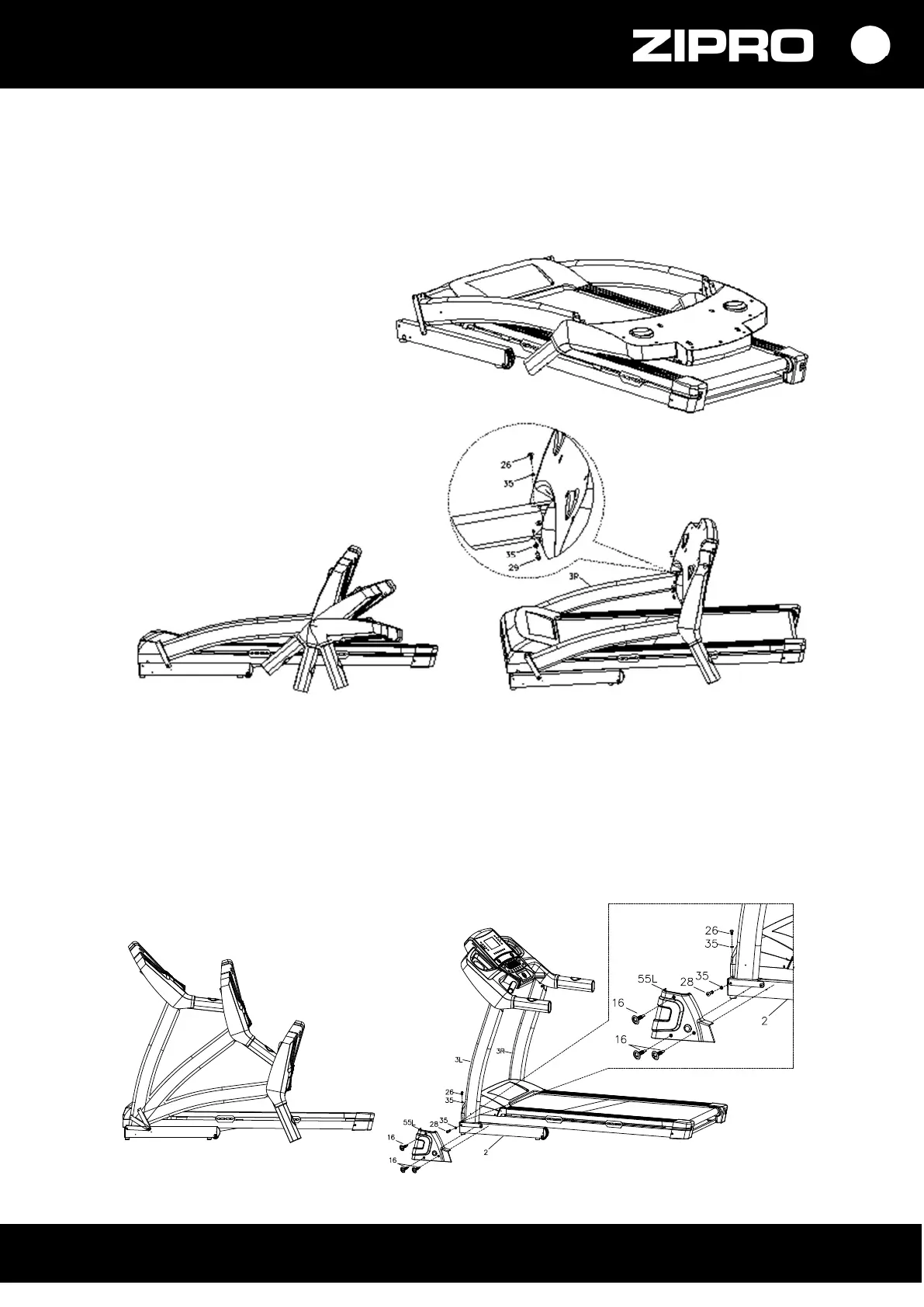
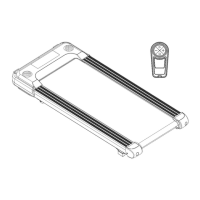
Step 1
Open the box, remove the above
parts and then place the main
frame horizontally on the floor.
Step 2
Place the computer as shown
in the figure, use wrench S6 and
bolt M8*15 (26), bolt M8*48 (29)
and internal washers D8 (35)
to install the computer safely
to the right and left main frame
column.
Step 3
Use Allen wrench S6, fix bolt M8*15 (26) and the washer D8 (35).
Next, fix the columns to the main frame, using Allen wrench S6 to tighten bolts ST4.2*16 (16)
and washers D8 (35).
Use the wrench to install plastic covers (55 L/R) to the base edge with bolts ST4.2*16 (16).
PLEASE NOTE! Protect the treadmill with your hand to avoid its falling or injuries.



 To Next Page