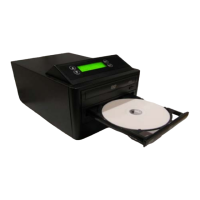
___ ZipSpin
Chapter 5 Menu Overview
1. COPY DISC: Copy CD or DVD disc.
2. TEST COPY DISC: Simulate copying process but does not write the disc. For testing purposes.
3. COPY TRACK: Select and combine audio tracks from various CDs into one single audio CD
4. CLOSE DISC: Finalize customized audio CD.
5. QUICK ERASE DISC: Erase table of contents of re-writable discs in Writer drive.
6. FULL ERASE DISC: Full erase of re-writable discs in the Writer drive.
7. SYSTEM
7.1
Show Reader:
7.2
Provide information about READER drive (manufacturer, model number
and firmware version)
Show Burner:
7.3
Provide information about Writer drive (manufacturer, model number and
firmware version)
Update BIOS:
7.4
Update your duplicator’s firmware provided by ZipSpin tech support only.
Machine Info
7.5
: Provides information about duplicator.
1. AutoStart Time: Default is 5 Seconds. Adjust the length of time (1 to 99 seconds)
for the system to start copying the disc automatically without pressing "GO".
Set Up Parameters
2. Copy CD Speed: Default is 40x. Adjust data CD write speed if AutoStart is
turned on.
3. Copy Audio CD Speed: Default is 24x. Adjust audio CD write speed if AutoStart
is turned on.
4. Copy DVD Speed: Default is 8x. Adjust DVD write speed if AutoStart is turned
on.
5. Copy DVD DL Speed: Default is 2.4x. Adjust DVD double layer write speed if
AutoStart is turned on.
6. Button Beep: This function will let you enable or disable the button beeping
sound.
7. Buzzer sound: This function will let you enable or disable the buzzer sound
7.6
Burn in:
7.7
This function is to run continuous emulate function. For factory use only.
Disc Info:
This function will display the disc information in the reader drive or writer drive.
8. MUSIC PLAYER
This function will make the duplicator function like a music CD player when amplified speakers are
attached.
*** Only DVD Model will read/copy both CD and DVD Discs. CD Model reads/copies CD disc only ***



 To Next Page