Shenzhen ZKC Software Technology Co.,Ltd
Web: www.sznewbest.com
Address: 1st Floor, No. 1 Block, Zhongkenuo Industry Park, Beiqi Road, Xixiang Town, Bao'an District,
Shenzhen
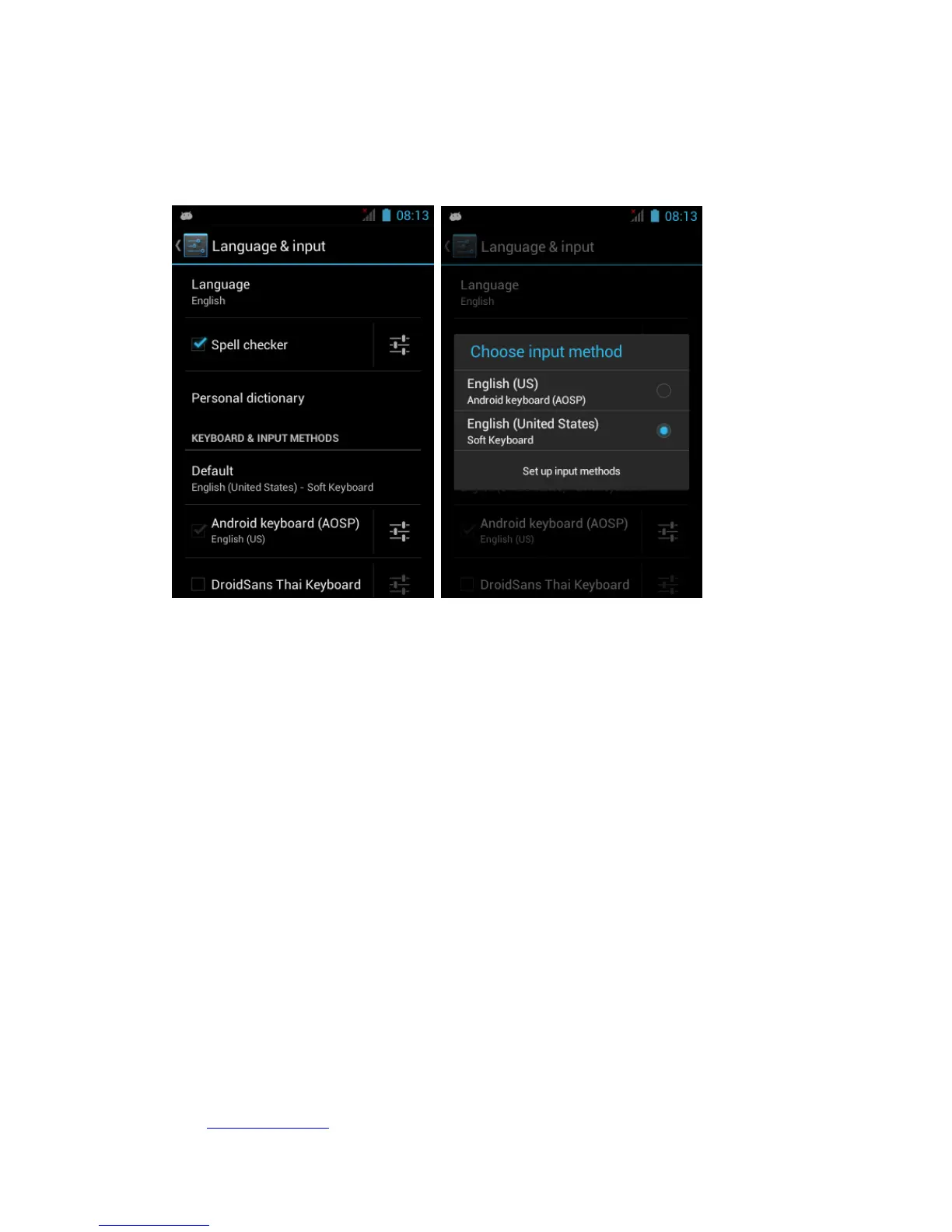
Note 1: If the device can not use input box to scan barcode, please confirm
that whether the “barcode scanner” App run on the backend, or whether the
soft keyboard is “English(United States)”.
Setting---Language&input-----English(United States)
Note 2: If you can see red line when scan barcode (or QR code ),but no beep
and can not get barcode(or QR code) number on the screen , pls setting as
below:
For laser barcode version device, press”barcode modules set”,than
press”Restore Factory Settings”,press”Setting Data Format”,do not exit the
setting page and try to scan barcode,try this once more if still not get barcode.
For QR code scanner version,press Qr modules set,than press”Restore
Factory Settings”,press”Setting Data Format”.


 To Next Page
 Loading...