26
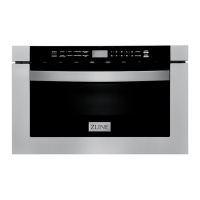
1. Open 2. Mute 3. Auto Menu 4. Defrost Weight 5. Close
6. Clock/Kitchen Timer 7. Defrost Time 8. Number Keys 9. Time Cook
10. Start/+30sec. 11 . Power Level 12 . Stop/Cancel
POWER ON
• When the microwave oven is plugged into an outlet, buzzer sounds once. Then
the oven turns into waiting state. The screen displays “00:00”.
• In waiting state, the screen will display the current time if the clock has been
set. Otherwise, “00:00” will display.
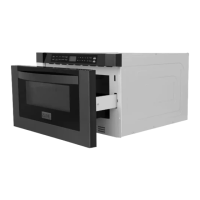
• Press “OPEN” button to open the drawer. The screen will display “PLEASE
CLOSE” when the drawer is fully opened.
• Press “CLOSE” button to close the drawer. The screen will display the current
time or “00:00” when the drawer is fully closed. If there are mistakes to open
or close the drawer, buzzer will sound five times, and the screen will display
“OPEN OR CLOSE”.
CLOCK SETTING
• Press “TIMER/CLOCK” button twice. “12:00” will flash.
• Press number keys to set the clock,it should be within 1:00~12:59.
• Press “START+30SEC.” or “TIMER/CLOCK” to finish the setting.
• Note: In the process of clock setting, if the “STOP/CANCEL” button is pressed
or if there is no operation within 1 minute, the oven will go back to former
setting automatically.
OPERATION 30” Microwaves
Controls


 To Next Page
 Loading...