Assemble the storage tray
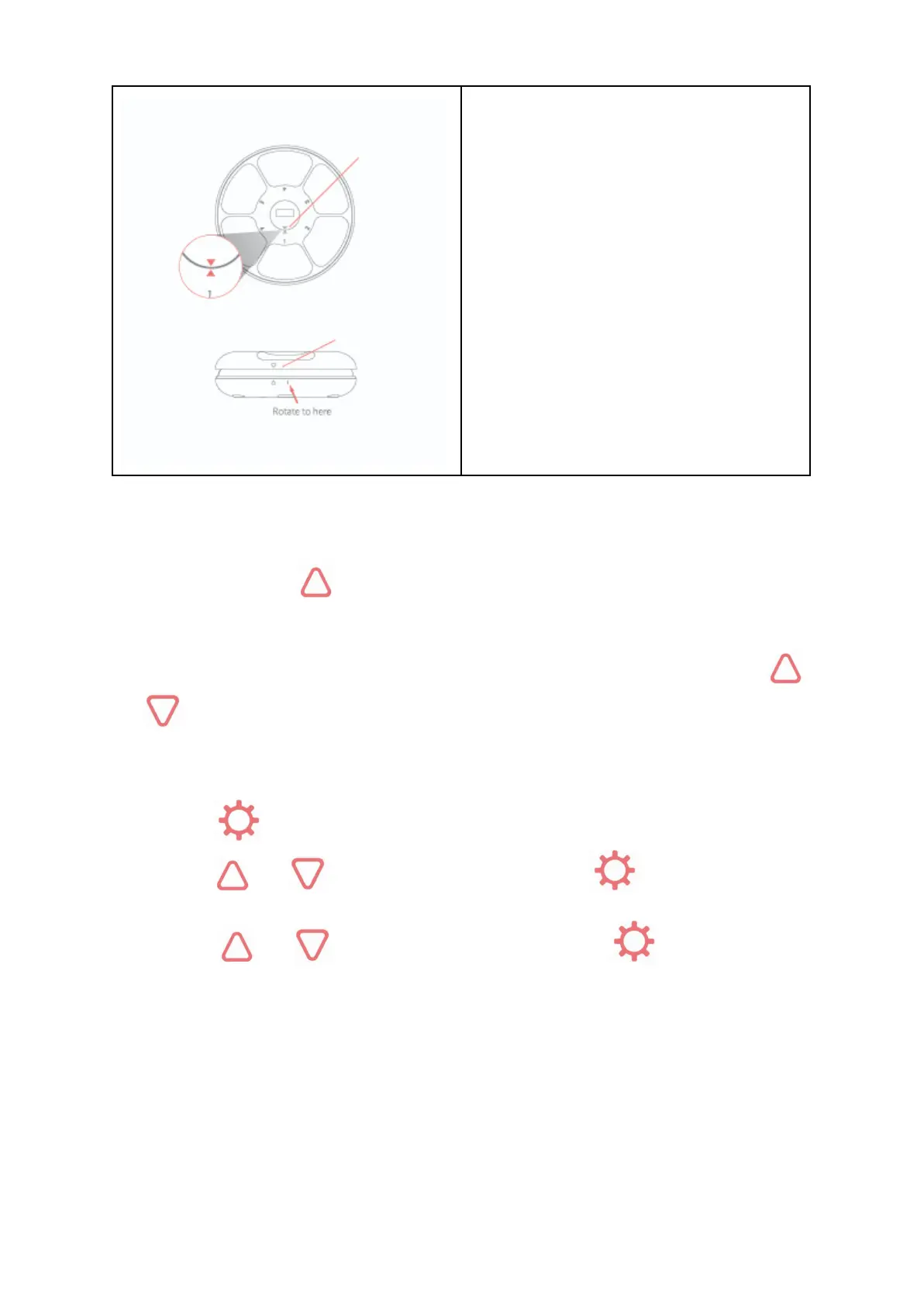
Align the arrows on the storage tray and base
Assemble the top lid
Align the arrows, then press down and rotate to
the right
Test before using
● Plug the micro USB cable or install three “C” size batteries and switch on, then you can star to
set up your automatic pet feeder
● Please long press button for one second to check if the food tray rotates properly
Unlocking the screen
If no activity takes place in 30 seconds , the unit will shut down and enter standby mode. Press
and button at the same time for 1 second to unlock the screen and follow the instructions below
to manager the settings
Set Current Time
● Press button, the hour digits will flash
● Press and button to find current hour and press again to save
● Once hour is saved , the minutes digits will flash
● Press and button to find current minute and press again to save and
enter first meal settings


 To Next Page