ENGLISH
9.
Keyboard features
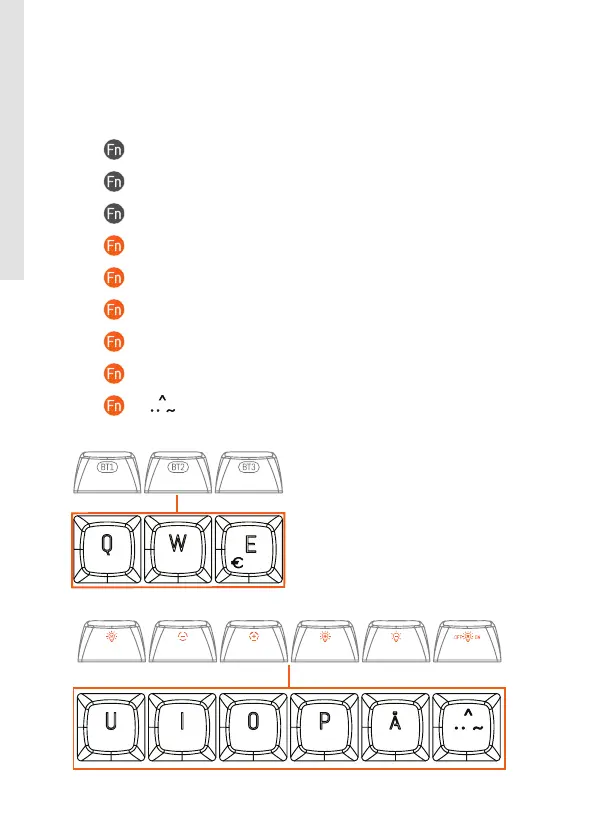
• + Q: Bluetooth channel 1 (in BT mode)
• + W: Bluetooth channel 2 (in BT mode)
• + E: Bluetooth channel 3 (in BT mode)
• + U: Switch the RGB light mode
•
+ I: Decrease RGB light frequency
•
+ O: Increase RGB light frequency
•
+ P: Increase RGB light brightness
•
+ Å: Decrease RGB light brightness
•
+ ( ): RGB light on/o



 To Next Page