Need help?
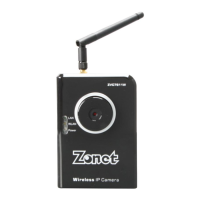
Do you have a question about the Zonet ZVC7611 and is the answer not in the manual?
Step-by-step guide for connecting the Zonet IP camera to your network via Ethernet cable and power.
Guides the user through the installation process of the Zonet IP Camera software from the provided CD.
Introduces the IPCam Admin Utility for searching, viewing, and setting up Zonet IP cameras.
Provides detailed instructions for configuring the camera's Local Area Network (LAN) settings.
Covers the security settings for the IPCam Admin Utility, focusing on password protection.
Provides an introduction to the IPCam Surveillance Software interface and its main functions.
Guides users on initial configuration of the IPCam Surveillance Software and camera setup.
Details the process of adding and configuring cameras within the IPCam Surveillance Software.
Explains the 'Camera' tab configuration for adding up to 16 cameras, including name, IP, and credentials.
Describes how to set up scheduled video recording for one-time or weekly events.
Instructions for connecting and configuring the camera via a web browser after installing the ActiveX plugin.
Covers LAN configuration options including network type, IP address, subnet mask, and port settings.
Explains wireless LAN configuration, including network type, SSID, encryption, and security keys.

 To Next Page

 General