5
Connecting the Faxmodem
Connecting the FaxmodemConnecting the Faxmodem
Connecting the Faxmodem
1
Make sure your computer is shut down. Locate the faxmodem’s
serial number on the bottom of its case, just under the bar code,
and make a note of it for future reference.
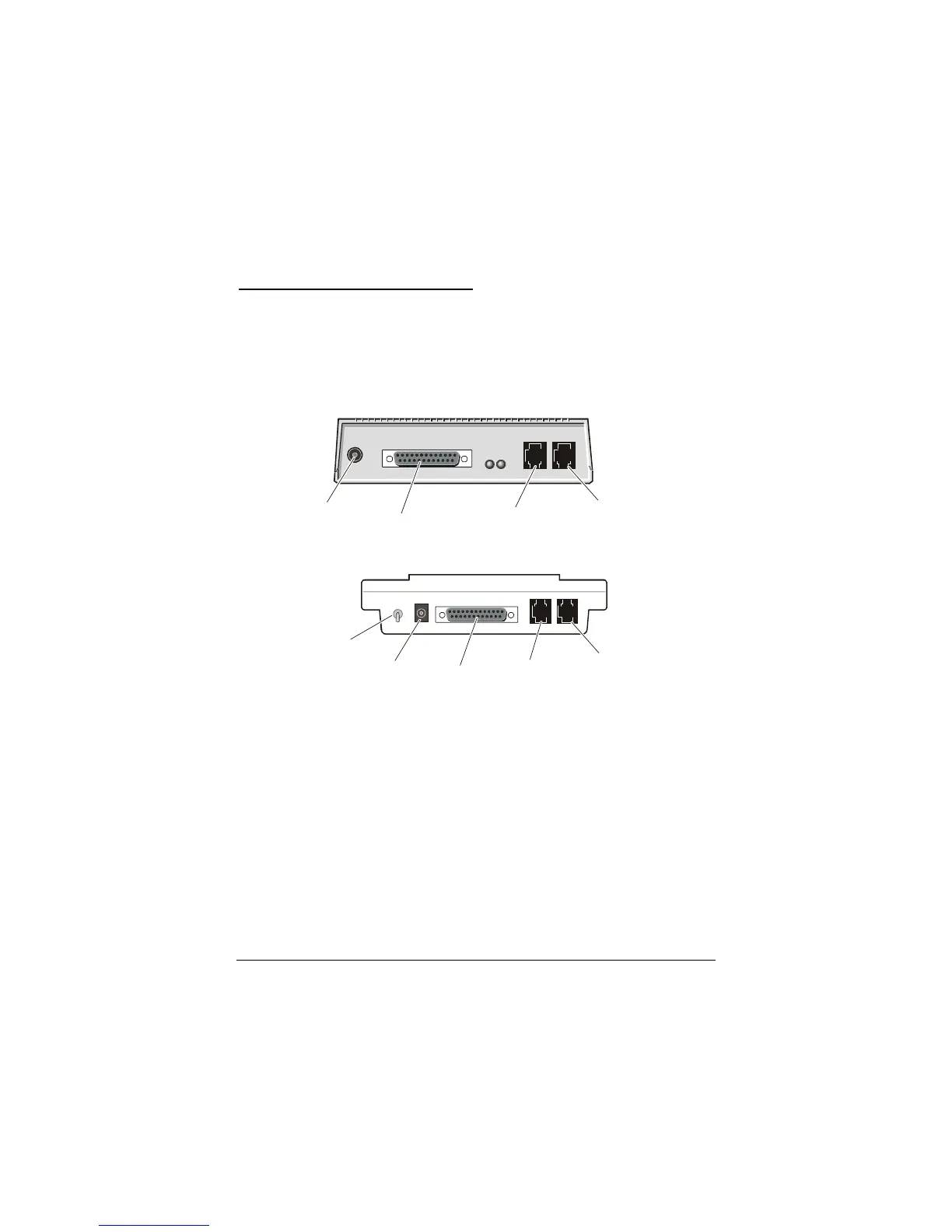
Depending on your modem model, your setup should look like
one of the two illustrations below.
Tel e phone
(Optional)
Tel e phone
Line
Power
Computer
Tel ep ho ne
(Optional)
Tel ep ho ne
Line
Power
On/Off
Switch
Computer
2
Connect the faxmodem-to-computer serial cable. Plug one end of
the cable into the matching connector on the back of your
modem, and plug the other end of the cable into your computer’s
serial port. Some cables have an extra connector; you should
leave one unconnected. Tighten the screws at both ends. Make a
note of the COM port you plug the modem into.
3
Connect the telephone cord. Plug one end of the cord into the
phone line jack on the back of the faxmodem. Then plug the other
end into the wall jack just as you would a standard telephone.
4
Connect your telephone (optional). You may also connect your
regular telephone to the back of the faxmodem, in the jack
labeled PHONE. If your phone cord doesn’t have an RJ-11 plug,
you may need an adapter for your cord or an RJ-11 phone cord
for your phone. The faxmodem works with or without a



 To Next Page