- 14 -
●ALL Initialization
This startup recovers the factory default condition.
Refer to page 10.
●Pedal calibration
Used to readjust the expression pedal operation.
Refer to page 26 of the G1/G1X operation manual.
●Pre-select
See the Operation Manual.
●Back up user’s data
This startup is used for back up user’s data.
Refer to page 8.
●Version
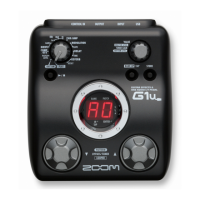
The 7 segment LED is displayed system version of the G1.
* It is displayed in four digits.
1) Start up holding the [BANK UP・TAP] key (SW1) and
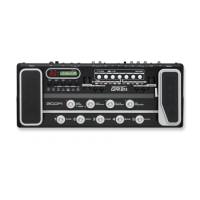
the FOOT SWITCH [^] (SW5).
Make sure “00” appears on the 7 segment LED.
2) Press the FOOT SWITCH [^](SW5) or [v] (SW4).
i) Serial No. 000001 - 022150
Make sure “10” appears on the 7 segment LED.
ii) Serial No. 022151 –
Make sure “12” appears on the 7 segment LED.
3) Restart the G1X by press the FOOT SWITCH [^] (SW5) or [v] (SW4) again.
●Revision
The 7 segment LED is displayed system revision of the G1.
* It is displayed in four digits.
1) Start up holding the [RHYTHM] key (SW2) and
the FOOT SWITCH [v] (SW4).
Make sure “00” appears on the 7 segment LED.
2) Press the FOOT SWITCH [^] (SW5) or [v] (SW4).
i) Serial No. 000001 - 022150
Make sure “46” appears on the 7 segment LED.
ii) Serial No. 022151 –
Make sure “48” appears on the 7 segment LED.
3) Restart the G1X by press the FOOT SWITCH [^] (SW5) or [v] (SW4) again.



 To Next Page
 Loading...