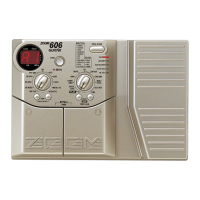
ADVANCED GUITAR EFFECTS PROCESSOR
Set the internal standard pitch (calibration).
The display will indicate "
bP
", and the module LEDs will light.
The display will indicate the current calibration value for one second.
Calibration is within the range of "35" (A = 435 Hz) and "45" (A = 445
Hz).
Every time the unit is turned on, the calibration value is reset to
A = 440 Hz.
.
BANK
FUNCTION
VALUE
ADVANCED GUITAR EFFECTS PROCESSOR
1.COMP
2.BOOSTER
3.OVERDRIVE
4.TALKING BOX
Sens/Gain
(Talking Gain)
Attack/Tone
(Talking Mode)
Level
(MIC Level)
VOLUME RTM
PRE DRIVE RTM
Gain/Top
Tone/Body
Level
ZNR
POSITION
MAIN DRIVE RTM
High/Depth
Midf/Rate/Sens
MidG/Reso
Low/Stage/Inv
Level
EQ RTM
Pitch/Key
Tone/Scale/Time
Shift/Mode/Dly
Bal/Mix
Amp Sim Mode
EFFECT1 RTM
Pitch/Key/Depth
Fine/Scale/Rate
Shift/Mode
Bal/Mix/Peak
SERI/PARA
EFFECT2 RTM
Time(x100mS)
Time(x1mS)
Feedback
Mix
SEAMLESS
DELAY RTM
Time
Tone/FB
Mix
Patch Level
FUNCTION Mode
REVERB RTM
1.OD
3.DIST
5.GRU
7.
METAL
1.3-BAND EQ
2.PHASE
3.PEDAL-WAH
4.AUTO-WAH
1.PITCH
3.DETUNE
4.PEDAL-PITCH
5.STRING
2.HPS 1.HALL1
3.ROOM 1
4.ROOM 2
5.PP-DELAY
2.HALL21.PITCH
3.CHO
5.TREM/PAN
6.RING MOD
1.NORMAL
2.ANALOG
3.HOLD
2.HPS
4.FLG
2.B-OD
4.FUZZ
6.LEAD
8.ACO
PRE DRIVE MAIN DRIVE EQ EFFECT 1 EFFECT 2 DELAY REVERB
TALKING BOX
POSITION SERI/PARA SEAMLESS
FUNCTION MODE BANK
(
VALUE
)
EDIT
(
CANCEL
)
GROUP STORE
1.MANUAL
2.BANK DOWN
3.DELAY(
TAP&HOLD)
4.BYPASS
5.MUTE
6.RTM
7.VOLUME
PRESETUSER
(BOTH) SEAMLESS
U
P
U O
2, 3
1
Release your foot
straight away
Adjusting the Standard Pitch of the Tuner (Calibration)
STEP
1
Invoke the Bypass status by lightly stepping on and releasing your foot from the
Foot Switch whose LED is currently lit in the display for Foot Switches 1 - 4.
STEP
2
STEP
3
While the value is displayed, use the VALUE knob to set the desired value.
Let's Try Out Some Patches (Play
Mode Operation)



 To Next Page
 Loading...