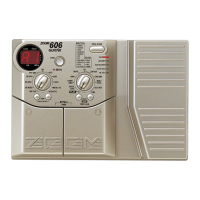
In Edit mode, the panel displays the following information:
(1) Effect module ON/OFF
When the effect modules are ON in a patch, their corresponding module LEDs light.
(2) Parameter type
On the top panel of the 3000, effect modules are arranged horizontally and effect parameters for the
various modules are listed vertically (including patch parameters and global parameters).
(3) Currently selected parameter
The parameter at the point where the lines marked by the flashing module LED and flashing
parameter LED cross is the parameter that is currently selected for editing. When an effect module is
selected that is currently off, the flashing interval of the module LED changes (the off time becomes
longer).
(4) Parameter value
The value of the parameter currently selected for editing is displayed. When the selected effect
module is off, only "
--" is displayed.
Depending on the type selected for the effect module, some parameters may have no setting item. When
such a parameter is selected, the display shows "
-.-.". For information on effect types and parameters,
please refer to page 36.
● 14
Changing the Patch Sound
(Edit Mode Operation)
Panel Display in Edit Mode



 To Next Page
 Loading...