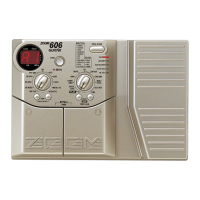
● When PEDAL-WAH (EQ module) or PEDAL-PITCH (EFFECT1
module) is selected as effect type for the current patch, the
Control pedal of the RP01 can also be used for pedal wah or the
pedal pitch shifter.
The on/off status for pedal wah or pedal pitch shifter can be verified
with the Effect Monitor LED.
● To switch pedal wah or pedal pitch shifter on or off, use the
switch integrated in the Control pedal or the separate foot switch.
The switch integrated in the Control pedal will be suitable when
wishing to operate the pedal continuously. The separate foot switch
is useful for switching the function on or off while the pedal is only
partially depressed.
● If the VOLUME RTM setting is on for the called patch, the Control
pedal can be used to control the VOLUME RTM action.
In this case, the VOLUME Assign LED lights up.
• If the Effect Monitor LEDs are out, this means
that the effect type PEDAL-WAH or PEDAL-
PITCH is not selected for the current module. In
this case, operating the switch integrated in the
Control pedal or the separate foot switch has no
effect.
• Changes to the RTM parameter are temporary.
When a new patch is called up, the settings for
that patch become active.
When the FUNCTION switch mode is set to 6 or 7, the FUNCTION
switch and the control pedal RP01 can be assigned to different
functions.
When the FUNCTION switch mode of the 3000 is set to 6 (RTM),
the foot switch of the RP01 (or the switch integrated in the Control
pedal) cannot be used to switch pedal wah or pedal pitch shifter on
and off.



 To Next Page
 Loading...