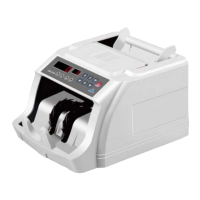
The machine consists of several parts the user needs to acknowledge, which are listed below:
1. Front LCD Display
This part has the LCD to display counted notes, value, functions, others.
2. Buttons
Control and menu selection buttons
3. Stacker
The counted bills will be stacked on this part.
4. Hopper
This part is for placing the bills to be counted. It has an auto-start sensor which will
make the machine start to work when the bills are put in the Hopper (under Auto Mode).
5. Cover
6. On/Off Switch.
‘0’ side for power off, ‘-‘ side for power on.
7. Power Port
To connect to AC power cord.
8. USB Port
Only for technician usage, for software upgrading.
9. External Display Port
To connect to external display.
10. Hopper Adjustment Screw
To adjust the hopper position (feeding rollers distance).


 To Next Page