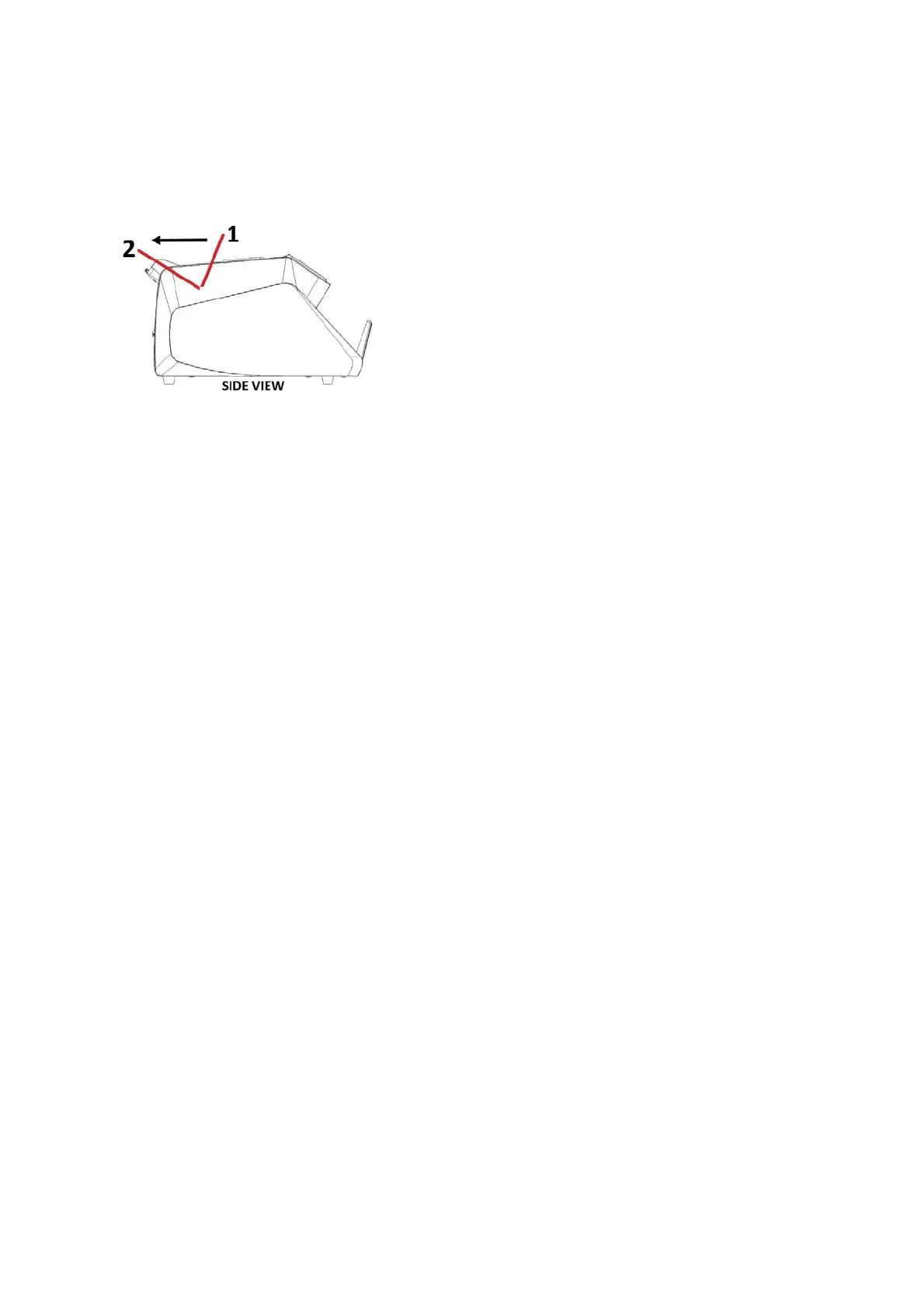
Bills should be correctly placed as indicated in the following steps:
Place the bills between the counting guides as shown in the figure below:
1. Put the bills in the hopper like the shown picture above as position 1.
2. Swiftly, push the bills back to position 2.
The counting process and result will be shown on the display of the machine. The external
display is showing the same number as shown on the machine’s display.
4.3. Counterfeit Detections
* UV Detection Function
------ Used to check all kinds of banknotes which contain UV features.
-If the machine detects a counterfeit note when counting, it will stop and emit a beeping sound,
while the batch display will show the message “E-17” and the UV indicator will blink and give
voice indicator, alerting the user the presence of a suspicious bill. The dubious bill will always
be the last note on the stacker. Remove the suspicious bill, and press the “START” button to
continue.
* MG (Magnetic)
------ Used to check all kinds of banknotes which contain MG features.
-If the machine detects a counterfeit note when counting, it will stop and emit a beeping sound,
while the batch display will show the message “E-18” and the indicator will blink and give
voice indicator, alerting the user the presence of a suspicious bill. The suspicious bill will
always be the last one on the stacker. Remove the dubious bill, and press the “START” button
to continue.
Note: Sensitivity of UV and MG can be adjusted inside the machine’s setting. As all machines
have been set from the factory, it is not recommended for users to change the setting by
themselves.
Please contact authorized Service Center for further assistance.8
7LL
COUNTER WORLDBILL COUN


 To Next Page