For technical questions, please call 1-888-866-5797
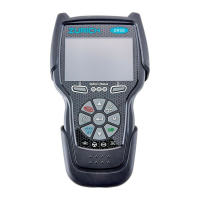
About the Scan Tool
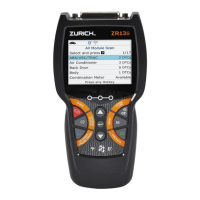
DISPLAY FUNCTIONS
3
5. M (Menu) button – When pressed, displays the Main Menu.
6. LD button – When pressed while linked to a vehicle, places the
Scan Tool in Live Data mode.
7. UP button – When in MENU mode, scrolls UP through the
menu options. When LINKED to a vehicle, scrolls UP through the
current display screen to display any additional data.
8. ENTER button - When in Menu mode, confirms the selected
option or value.
9. DOWN button - When in MENU mode, scrolls down through the
menu options.
When LINKED to a vehicle, scrolls down through the
current display screen to display any additional data.
10. GREEN LED - Indicates that all engine systems are running
normally (all Monitors on the vehicle are active and performing
their
diag
nostic testing, and no DTCs
are present).
11. YELLOW LED - Indicates there is a possible problem. A “Pending”
DTC is present and/or some of the vehicle's emission monitors have
not run their diagnostic testin
g.
12. RED LED - Indicates there is a problem in one or more of the
vehicle's systems. The red LED is also used to show that DTC(s)
are present. DTCs are shown on the Scan Tool’s LCD display. In
this case, the Malfunction Indicator (“Check Engine”) lamp
on the
vehicle's instrument panel will light steady on.
13. Display - Displays test results, Scan Tool functions and Monitor status
information. See DISPLAY FUNCTIONS, below, for details.
14. CABLE - Connects the Scan Tool to the vehicle's Data Link Connecto
r
(DLC).
DISPLAY FUNCTIONS
Figure 2. Display Functions
See Figure 2 for the locations of items 1 through 15, below.
1. I/M MONITOR STATUS field - Identifies the I/M Monitor status area.
4
3
2
5
7
6
114
10
11
12
8
9
13
15
i
TABLE OF CONTENTS
SAFETY PRECAUTIONS
IMPORTANT SAFETY INFORMATION ......................................
SCAN TOOL CONTROLS
CONTROLS AND INDICATORS ................................................
DISPLAY FUNCTIONS ..............................................................
BATTERY REPLACEMENT .......................................................
USING THE SCAN TOOL
CODE RETRIEVAL PROCEDURE ............................................
THE SYSTEM MENU ................................................................
VIEWING OEM ENHANCED DTCs (Except Ford/Mazda) ........
VIEWING OEM ENHANCED DTCs (Ford/Mazda Only) ............
VIEWING ABS DTCs .................................................................
VIEWING SRS DTCs .................................................................
NETWORK TEST .......................................................................
ERASING DIAGNOSTIC TROUBLE CODES (DTCs) ...............
ABOUT REPAIRSOLUTIONS® .................................................
CONNECTING BLUETOOTH / WIFI .........................................
LIVE DATA MODE
VIEWING LIVE DATA .................................................................
CUSTOMIZING LIVE DATA (PIDs) ............................................
RECORDING (CAPTURING) LIVE DATA ..................................
LIVE DATA PLAYBACK ..............................................................
ADDITIONAL TESTS
SYSTEM TEST MENU ...............................................................
RESETTING OIL MAINTENANCE LIGHT .................................
BATTERY RESET ......................................................................
PERFORMING A SERVICE CHECK .........................................
BATTERY/ALTERNATOR TEST ................................................
VIEWING DRIVE CYCLE PROCEDURES ................................
USING THE DLC LOCATOR .....................................................
VIEWING VEHICLE INFORMATION .........................................
VIEWING THE FIRMWARE VERSION .....................................
THE TOOL LIBRARY .................................................................
ADJUSTMENTS AND SETTINGS .............................................
USING SCAN TOOL MEMORY
VIEWING DATA IN MEMORY ....................................................
WARRANTY AND SERVICING
LIMITED 90 DAY WARRANTY ..................................................
SERVICE PROCEDURES .........................................................
1
2
3
5
6
11
11
12
14
15
16
19
20
21
23
24
25
28
30
33
34
36
36
39
40
40
40
43
45
48
48
49


 To Next Page
 Loading...