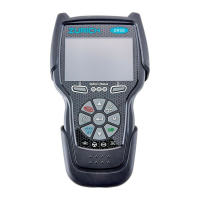
For technical questions, please call 1-888-866-579738
About the Scan Tool
DISPLAY FUNCTIONS
3
5. M (Menu) button – When pressed, displays the Main Menu.
6. LD button – When pressed while linked to a vehicle, places the
Scan Tool in Live Data mode.
7. UP button – When in MENU mode, scrolls UP through the
menu options. When LINKED to a vehicle, scrolls UP through the
current display screen to display any additional data.
8. ENTER button - When in Menu mode, confirms the selected
option or value.
9. DOWN button - When in MENU mode, scrolls down through the
menu options.
When LINKED to a vehicle, scrolls down through the
current display screen to display any additional data.
10. GREEN LED - Indicates that all engine systems are running
normally (all Monitors on the vehicle are active and performing
their
diag
nostic testing, and no DTCs
are present).
11. YELLOW LED - Indicates there is a possible problem. A “Pending”
DTC is present and/or some of the vehicle's emission monitors have
not run their diagnostic testin
g.
12. RED LED - Indicates there is a problem in one or more of the
vehicle's systems. The red LED is also used to show that DTC(s)
are present. DTCs are shown on the Scan Tool’s LCD display. In
this case, the Malfunction Indicator (“Check Engine”) lamp
on the
vehicle's instrument panel will light steady on.
13. Display - Displays test results, Scan Tool functions and Monitor status
information. See DISPLAY FUNCTIONS, below, for details.
14. CABLE - Connects the Scan Tool to the vehicle's Data Link Connecto
r
(DLC).
DISPLAY FUNCTIONS
Figure 2. Display Functions
See Figure 2 for the locations of items 1 through 15, below.
1. I/M MONITOR STATUS field - Identifies the I/M Monitor status area.
4
3
2
5
7
6
114
10
11
12
8
9
13
15
BATTERY/ALTERNATOR TEST
Additional Tests
BATTERY/ALTERNATOR TEST
38
3. Select Alternator Test, then press ENTER .
An “instructional” message shows.
4. Start and warm the engine to normal operating temperature. Turn on
the headlights. Press ENTER
to continue.
An “instructional” message shows.
5. Press the accelerator pedal to raise engine speed to 2000 RPM,
and maintain the engine speed.
When engine speed is within the required range, the alternator
test begins. A progress screen shows.
When the “countdown” timer expires, an “instructional” message
shows.
6. Turn the vehicle’s headlights off, and return the engine to idle speed.
A “One moment please…” message
displays while the test results are
retrieved.
7. When the alternator check is complete,
a results screen shows charging system
voltage and indicates whether or not the
charging system is within acceptable
limits. The System Status LEDs provide
a PASS/FAIL indication, as follows:
Green = System within limits
Yellow = Over charging or under
charging
Red = Excessive over charging or
under charging
If the alternator voltage is less than
9 V, the red, yellow and green
SYSTEM STATUS LEDs will flash
on and off.
8. Press M to return to the Main Menu.
To perform a hybrid/EV battery system check:
1. Press M and release.
The Main Menu displays.
2. Select Battery/Alternator Test, then
press ENTER
.
The Battery/Alternator Test Menu
displays.
3. Select Hybrid/EV Battery Test, then
press ENTER
.


 To Next Page
 Loading...