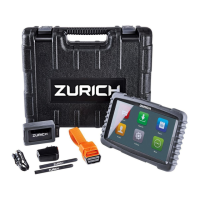
About the Code Reader
DISPLAY AND SETTINGS
6
2. When the desired display language is
selected, press the ENTER
button
to confirm your selection.
The Unit of Measurement screen
displays.
3. Use the DOWN
button to highlight
the desired unit of measurement.
4. When the desired unit of measurement
is selected, press the ENTER
button
to confirm your selection.
The Firmware Screen displays for
three seconds.
After the initial language and unit
of measurement selections are
performed, these, as well as other
settings, can be changed as de-
sired. Proceed to ADJUSTMENTS,
SETTINGS AND LANGUAGE on
page 27 for further instructions.


 To Next Page
 Loading...