20 CONNECTING TO ZWIFT
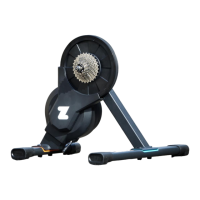
Once your trainer is turned on and you have downloaded the Zwift game,
follow the instructions on the screen to connect via Bluetooth® or ANT+™.
For more information on the best way to connect, visit
zwift.com/hub/support
20 CONNEXION À ZWIFT
Une fois que votre home trainer est en marche et que vous avez téléchargé le
jeu Zwift, suivez les instructions à l’écran pour vous connecter via Bluetooth®
ou ANT+™. Pour plus d’informations sur la meilleure façon de se connecter,
rendez-vous sur zwift.com/hub/support
20 VERBINDUNG MIT ZWIFT HERSTELLEN
Sobald Ihr Trainer eingeschaltet ist und Sie das Zwift Spiel heruntergeladen
haben, folgen Sie den Anweisungen auf dem Bildschirm, um eine Verbindung
über Bluetooth® oder ANT+™ herzustellen. Weitere Informationen dazu,
wie man am besten eine Verbindung herstellt, finden Sie auf zwift.com/hub/
support
20 CONEXIÓN A ZWIFT
Una vez que su rodillo esté encendido y se haya descargado el juego Zwift,
siga las indicaciones de la pantalla para conectarse a través de Bluetooth® o
ANT+™. Para obtener más información sobre la mejor forma de conectarse,
visite zwift.com/hub/support
54


 To Next Page
 Loading...