Use your phone’s volume controls first. If the headset
isn’t loud enough at max volume on your phone,
increase it using the headset’s + button.
Experiment with where the bone conduction pads sit
on your head to find the most comfortable placement
that produces the best sound.
Believe it or not, the sound is better in the water!
For iPhone users:
Volume Tips
7
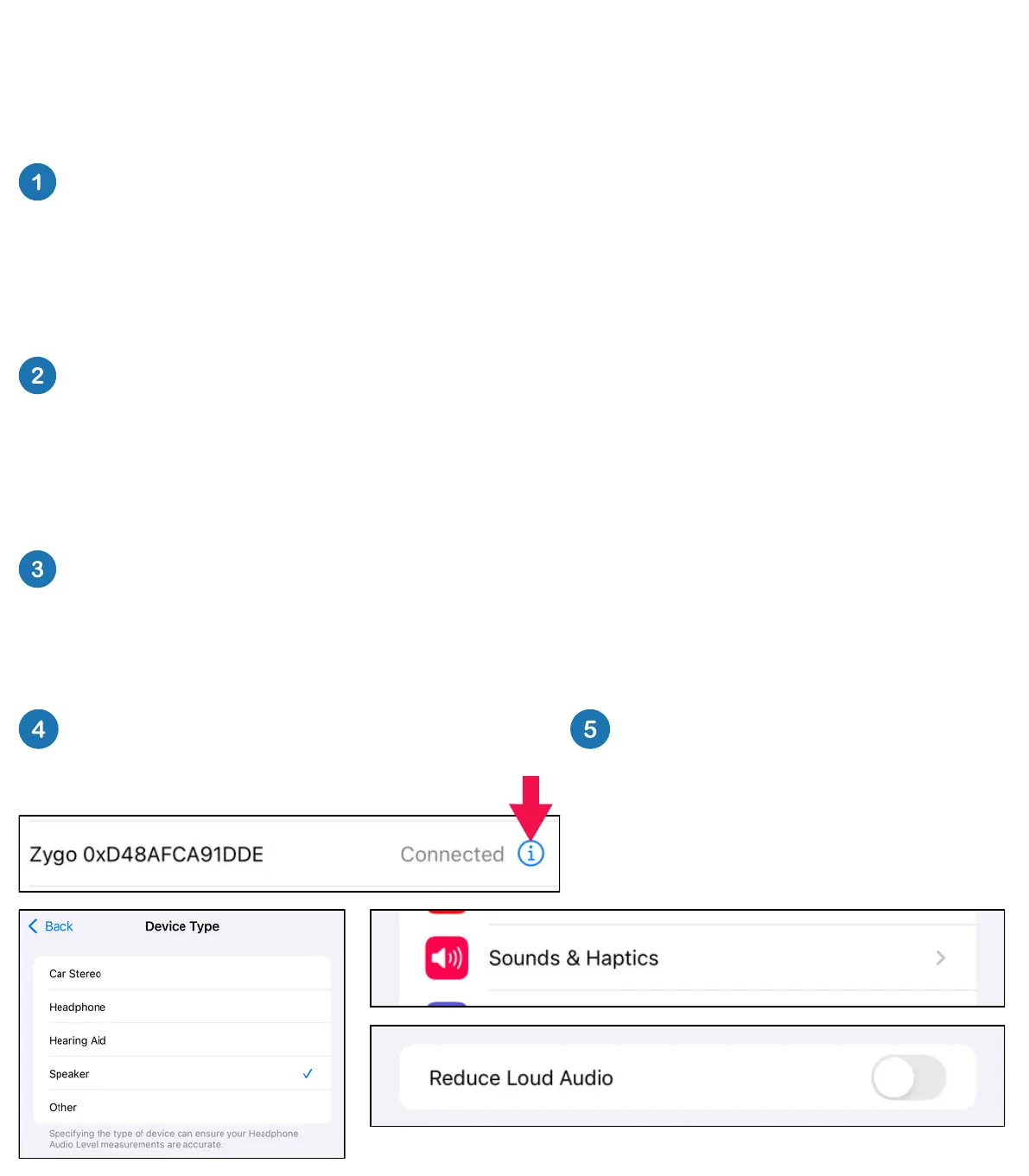
Click this information icon, then
“Device Type” and select “Speaker”
Within Settings, select
“Sounds & Haptics” then
“Headphone Safety” and
make sure that “Reduce
Loud Audio” is NOT enabled.


 To Next Page