EasyManua.ls Logo

1 BY ONE B1 - User Manual

1 BY ONE B1
2 pages
Print Icon
To Next Page IconTo Next Page
Loading...
Bluetooth
Multifunctional
household
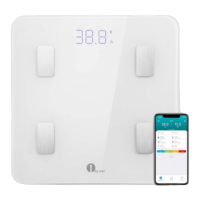
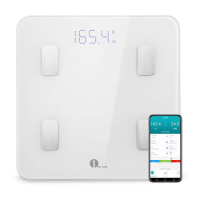
electronic scale
anua
Mul ti pl e
tes ts
Tem pe re d gla ss
Intellige nt APP
LED
Ind uc ti o n
swi tc h
HD
Display
Bearing panel: High
strength tempered glass
weighing
range :0.2-180 kg
Sensor: High Sensitive
Sensor
Display Screen: LED HD
Display Screen
Boot mode: automatic
switch machine
Rear fuselage: fully
enclosed safety fuselage
Thank you for your trust, now start the
wonderful weighing experience!
In order to use this product correctly,
please read this manual carefully before
using it.
1 When you need to understand the body's ingredients, you need to use
the phone APP connect with the multifunctional body fat scale via
Bluetooth devices. At this point you need to log in to the app
market, in the search bar, enter "Youwo" in the app market to find
the app, you can download and install to the mobile phone for free
For first use, enter your personal information (name, age, gender,
height and target weight)
After use without input, APP will analyze and
store your measurement data, generate change curve for your reference
Apple phone support
IOS system
Support for Android
4.3.
Connection scheme 2:
through APP software
Cell phone scan the following QR
code download "Youwo
APP"
Usage:
1 WeChat Open Mini
Program "Flash Health"
2 Authorized Login -
Allow - Set Personal Data
3 Click on "Scale Up" to
The data will be displayed on
the phone
B. search: at the top of the
search window,
Search for Flash Health
Find the Mini Programs
and click Enter.
A. use WeChat to sweep the left
QR code directly into
Connection scheme 1: By
binding WeChat Mini Program
We have the right of final
interpretation of warranty
card content
Certif
icate
of
qualif
icatio
n
t o ou wo ot
After sale guarantee
7 days, normal use of machine problems, provide the card, return
or replace the new machine;
Within 365 days, the normal use of machine problems, enjoy free
maintenance services, back and forth freight self-care; life-long
maintenance, where the purchase of our products, after one year,
Onl terials are charged for replacement
Points for attention
When using barefoot, pay attention to the scale and feet do not touch
water, so as not to slip and fall. The fuselage must be placed
Horizontal hard ground, weighing as far as possible to make the body
smooth, do not shake the body, keep static measurement. When measuring body
composition, keep the measurement on barefoot station.
Each Bluetooth scale can only be connected to one mobile APP at the same
time. Do not connect to multiple APP devices at the same time
If the connection fails, restart the APP or see if the Bluetooth
device is on, while reinstalling the battery of the scale. Then
connect as normal;
For better weight monitoring, it is recommended to measure at the same
time every day and get up in the morning. At the same time with the
APP, you can record up to 8 people at the same time, so that you and
your family can control the health weight at the same time;
Figu
re X
Figu
re
IX
When you're done, click to view the data. will appear our measurement
report!
have multiple measurements, combined with your weight signs
information, APP will give reasonable exercise, diet and sleep guidance
programs to assist you in managing weight, active activity, healthy
eating, better sleep, and all-weather records to manage your health.
A maximum of 20 users can be recorded simultaneously in APP
Health control of weight of oneself and family members;
Figu
re
VIII
Figu
re
VII
The Bluetooth fat scale measures the body weight
(Figure 7) and then the measurement appears
to the weight data (Figure VIII).
Figu
re
VI
Figu
re V
Figu
re
IV
Measurement of body fat
4 Turn on Bluetooth, then turn on "You Wo" APP( Figure 4) if the display
is not yet bound
device, click on the binding (Figure 5), at this time, please step on your
scale with your feet and keep the screen always bright. At that time, the
phone will detect your scale (Figure VI), and then we determine the
binding.
Product Product Model:
Date of Months
Day
Warranty
matters
BodyScale
B1
Tempered
glass
Smart App
HD Display
Bluetooth online weighing
Support Android 4.3. above system
7 days return
1 year warranty
Lifetime maintenance
We value every guest, so we will solve the after-sales problems encountered for you. We are eager to get your respect. If you are satisfied, please give us five points of praise. This is affirmation and support for our work! If you are not satisfied , Please contact us to solve, we cherish and value each of your suggestions.
We value every guest, so we will solve the after-sales
problems encountered for you. We are eager to get your
respect. If you are satisfied, please give us five points
of praise. This is affirmation and support for our work!
If you are not satisfied , Please contact us to solve,
we cherish and value each of your suggestions.
Question and Answer IconNeed help?

Do you have a question about the 1 BY ONE B1 and is the answer not in the manual?

Summary

WeChat Connection Scheme

WeChat Binding Steps

Connect via WeChat by scanning or searching for the 'Flash Health' app.

WeChat Mini Program Usage

Instructions for using the WeChat Mini Program for login and personal data setup.

App Connection Scheme

App Compatibility and Download

Support for iOS and Android systems; download the app via QR code for a weighing experience.

Bluetooth Weighing and Data

Connect via Bluetooth to use the app for weighing, personal data input, and analysis.

Measurement and Usage Guidance

Measurement Procedure

Steps to turn on Bluetooth, bind the app, and step on the scale for measurement.

Important Usage Precautions

Guidelines for barefoot use, scale placement, body composition measurement, and device connection.

Product Features and Support

Scale Specifications

Details on tempered glass panel, weight range, HD LED display, and automatic boot mode.

After-Sales Service Policy

Information on 7-day returns, 1-year warranty, and lifetime maintenance for product issues.

FCC Compliance Statement

Overview

This document outlines the features, usage, and maintenance of a multifunctional household electronic scale, referred to as a BodyScale B1. The scale is designed to provide comprehensive body composition analysis and integrate with mobile applications for health management.

Function Description

The BodyScale B1 is an electronic scale primarily designed for measuring body weight and analyzing various body composition metrics. It features Bluetooth connectivity, allowing it to sync data with a mobile application. The scale is capable of recording data for multiple users, making it suitable for family use. The accompanying mobile application provides personalized health guidance based on the collected data, including exercise, diet, and sleep recommendations. The device aims to help users manage their weight and overall health through continuous monitoring and data analysis.

Usage Features

The BodyScale B1 offers two primary connection schemes for data synchronization and extended functionality.

Connection Scheme 1: Via WeChat Mini Program "Flash Health"

  1. Open WeChat Mini Program: Users can access the "Flash Health" mini-program within WeChat. This can be done by scanning a QR code (if provided) or by searching for "Flash Health" in the WeChat search window.
  2. Authorized Login: After opening the mini-program, users will need to authorize their login, allowing the program to access and set personal data. This step ensures that the scale can link to the user's profile and store their measurements securely.

Connection Scheme 2: Through a Dedicated APP Software

  1. Download the APP: For a more comprehensive experience, users can download a dedicated mobile application. For Apple phone users, the app supports iOS systems. For Android users, the app supports Android 4.3 and above. To download, users should access their phone's app market (e.g., App Store for iOS, Google Play Store for Android), search for "Youwo" (as indicated in the instructions), and then download and install the application.
  2. Initial Setup (First Use): Upon the first use of the app, users are required to enter their personal information, including name, age, gender, height, and target weight. This data is crucial for the app to accurately analyze body composition and provide personalized recommendations. Even without inputting this information, the app will still analyze and store measurement data, generating a change curve for reference.
  3. Bluetooth Connection: To connect the scale to the app, users need to ensure Bluetooth is turned on on their mobile device. If the scale's display is not yet bound, users should open the "Youwo" APP and click on the binding option. The scale measures body weight and then displays the measurement on its screen and within the app.
  4. Measurement Process:
    • Barefoot Use: When using the scale for body composition analysis, users must step on it barefoot. It is important to ensure that feet do not touch water to prevent slipping.
    • Placement: The scale must be placed on a horizontal, hard ground surface. This ensures accurate and stable measurements. Avoid placing it on soft or uneven surfaces, which can lead to inaccurate readings.
    • Stability: Users should stand still during measurement, avoiding any shaking or movement. Static measurement is essential for precise body composition analysis.
    • Data Viewing: After the measurement is complete, users can click to view the data within the app. The app will generate a measurement report that includes various metrics and insights.
  5. Health Management: The app combines multiple measurements with the user's weight signs information to provide reasonable exercise, diet, and sleep guidance programs. These programs are designed to assist users in managing their weight, promoting active activity, healthy eating, better sleep, and maintaining all-weather records to manage their health.
  6. Multi-User Support: The app allows a maximum of 20 users to be recorded simultaneously, making it convenient for families or groups to track their health data individually.
  7. Optimal Monitoring: For better weight monitoring, it is recommended to measure at the same time every day, ideally in the morning. This consistency helps in tracking trends and making informed health decisions.

Maintenance Features

The BodyScale B1 comes with specific provisions for after-sales support and maintenance, ensuring customer satisfaction.

  1. Initial Return/Replacement (7 Days): If the device experiences normal use machine problems within 7 days of purchase, users can provide the purchase card to return or replace the new machine. This policy covers immediate issues that may arise shortly after acquisition.
  2. Free Maintenance Services (365 Days): Within 365 days of purchase, if the device encounters normal use machine problems, users are entitled to free maintenance services. However, the freight costs for sending the device for service (back and forth) are the responsibility of the user.
  3. Lifetime Maintenance: Beyond the initial 365 days, the device offers lifetime maintenance. Specific terms and conditions for lifetime maintenance, including potential costs for parts or labor, would typically be detailed in a separate warranty document or by contacting customer service.
  4. Troubleshooting Connection Issues: If the Bluetooth connection fails, users are advised to restart the APP or check if the Bluetooth device on the scale is on. Reinstalling the battery of the scale can also resolve connection issues, after which users can attempt to connect as normal.
  5. FCC Compliance: The device complies with Part 15 of the FCC Rules, indicating that it has been tested and found to meet the limits for a Class B digital device. This ensures that the device operates within acceptable electromagnetic interference levels. Users are advised that any changes or modifications not expressly approved by the party responsible for compliance could void the user's authority to operate the equipment. In case of interference, users are advised to reorient or relocate the receiving antenna, increase the separation between the equipment and receiver, connect the equipment into an outlet on a different circuit, or consult the dealer or an experienced radio/TV technician.

The manufacturer emphasizes customer satisfaction, encouraging users to provide feedback. Positive feedback (five points of praise) is considered an affirmation and support for their work, while any dissatisfaction is encouraged to be communicated for resolution. The company reserves the right of final interpretation regarding these policies.

1 BY ONE B1 Specifications

General IconGeneral
MaterialTempered Glass
Auto Shut-offYes
Backlight DisplayYes
Batteries IncludedYes
Weight Capacity400 lbs / 180 kg
Units of Measurementkg / lb / st
MeasurementsWeight

Related product manuals