10 11
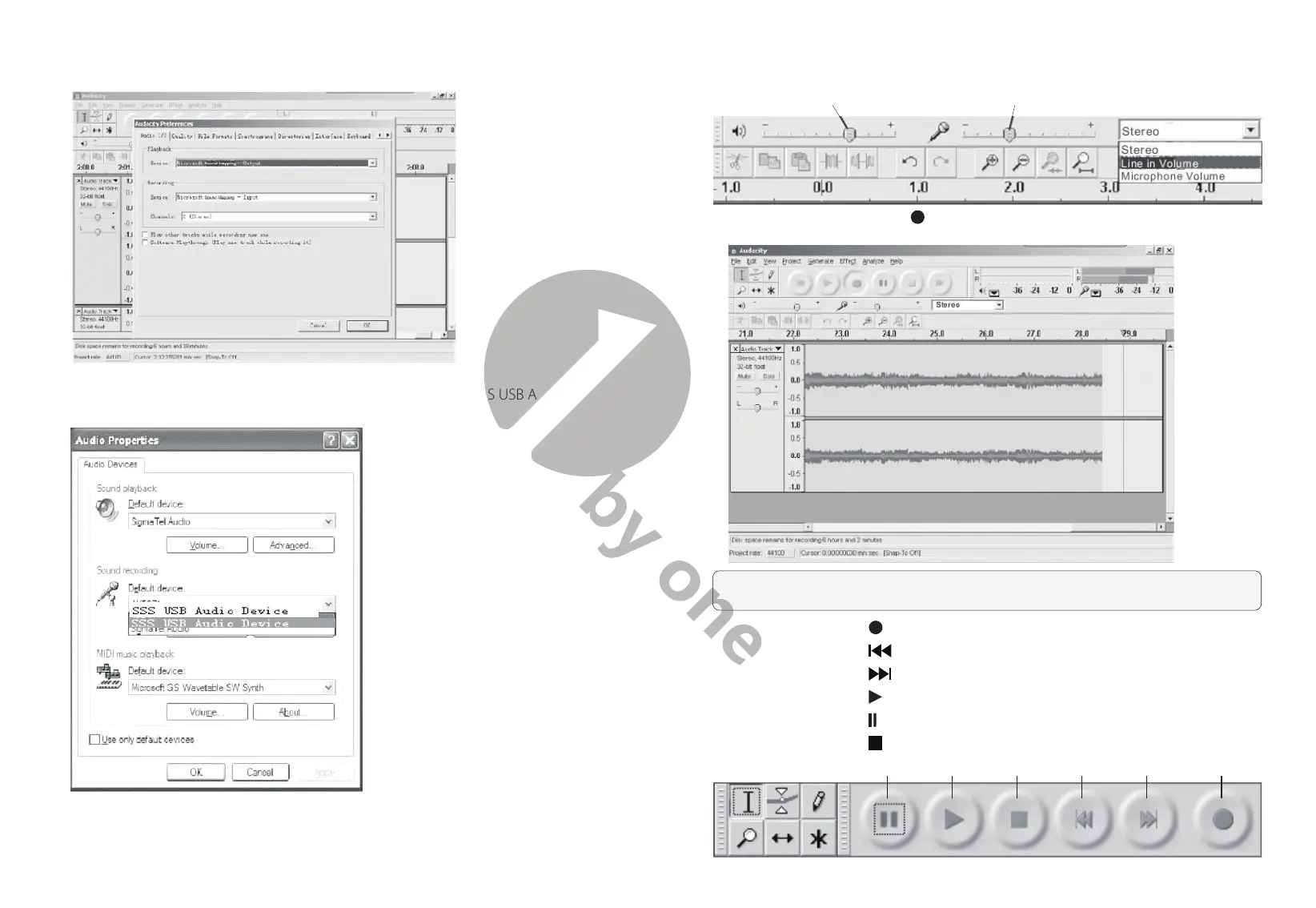
2.3) Set your preferences as desired
Note:
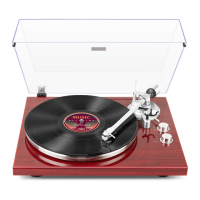
Check your computer’s audio properties and make sure “SSS USB Audio
Device” is selected as shown below:
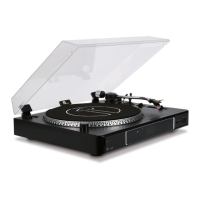
2.4) Adjust the output and input volume
Output Volume Input Volume
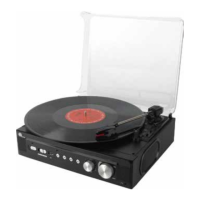
2.5) Press the Record button and the left and right tracks will appear on the
interface
Note:
If you do not see the sound wave on the interface when recording, please
adjust the line in volume to an appropriate level.
2.5.1
⑤
Press the button to start recording;
2.5.2
⑥
Press the
button to skip to start;
2.5.3
⑦
Press the
button to skip to end;
2.5.4
⑧
Press the
button to play;
2.5.5
⑨
Press the
button to pause recording;
2.5.6
⑩
Press the
button to stop recording.
⑨ ⑧ ⑩ ⑥ ⑦ ⑤



 To Next Page