EasyManua.ls Logo

1byone Audio-Technica AT3600L - User Manual

1byone Audio-Technica AT3600L
14 pages
Print Icon
To Next Page IconTo Next Page
Loading...
1byone Products Inc.
1230 E Belmont Street, Ontario, CA, USA 91761
Customer Service: +1 909-391-3888
www.1byonebros.com
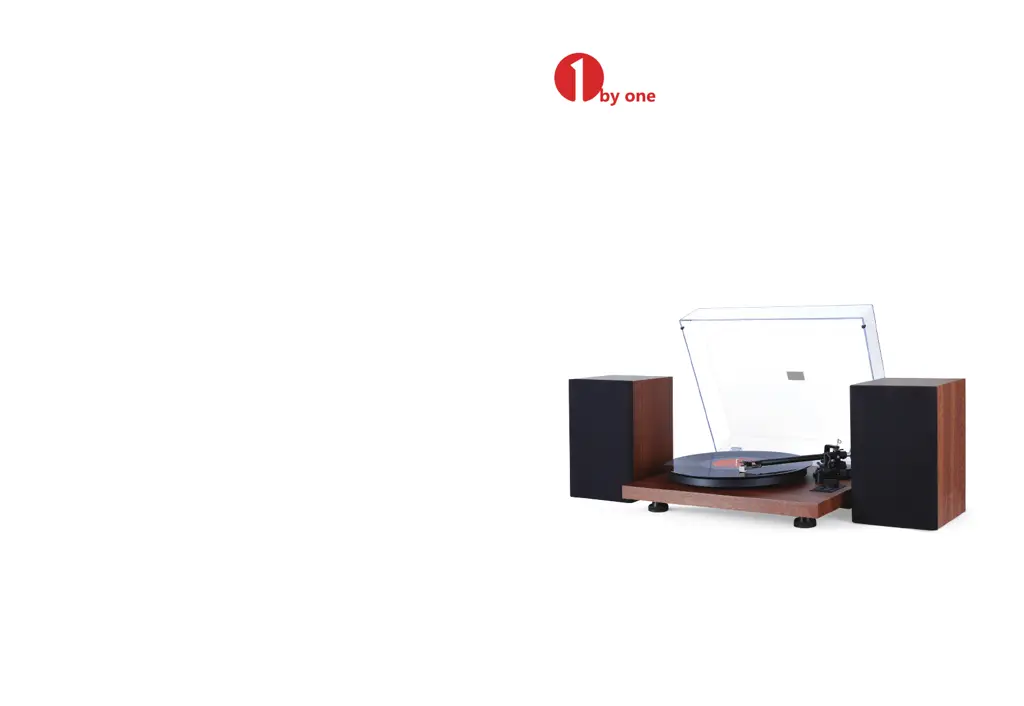
Turntable Hi-Fi System with Speakers
Instruction Manual

Questions and Answers

  • D
    David LarsonAug 14, 2025
    What to do if the 1byone Audio-Technica AT3600L Turntable platter does not spin?
    • K
      Kyle WatkinsAug 14, 2025
      If the platter on your 1byone Turntable isn't spinning, try the following: * Ensure the AC adapter is connected to the outlet. * If the power is on but the indicator light is off, press and hold the MODE button for 3 seconds to reboot the turntable. * If the indicator light is blue, press the MODE button once to switch to Turntable mode. * Check if the belt has slipped from the platter and correctly place it. * Verify that the belt is correctly placed on the motor pulley (brass-colored). * If the belt is damaged, replace it with a new one.
  • D
    Daniel WilsonAug 17, 2025
    Why is there no sound from my 1byone Turntable, or the volume is too low?
    • S
      Sarah HallAug 17, 2025
      If your 1byone Turntable platter spins but you're not getting any sound or the volume is too low, consider these points: * Verify that the function settings and input for any connected equipment are correctly selected. * Inspect the stylus for damage and replace it if needed. * Ensure the stylus is correctly placed on the cartridge body, adjusting if necessary. * Confirm that the pre-amplifier settings are correct.
  • G
    Geoffrey SchneiderAug 20, 2025
    Why is my 1byone Audio-Technica AT3600L Turntable howling?
    • M
      Melissa BensonAug 21, 2025
      Howling in your 1byone Turntable can occur due to: 1. Excessive vibrations from the floor, walls, or nearby speakers. Try to decrease the vibrations or mount the turntable on a surface less susceptible to vibrations. 2. An unstable surface. Make sure the surface the turntable is mounted on is suitable.
  • A
    andrewsmithAug 25, 2025
    How to fix the sound if my 1byone Turntable record plays too fast or slow?
    • D
      Donna BushAug 25, 2025
      If the sound is playing too fast or too slow on your 1byone Turntable, the speed settings may be incorrect. Select the correct speed for the type of record you are playing.
  • C
    Cynthia PhillipsAug 28, 2025
    How to reduce noise when playing a record on my 1byone Audio-Technica AT3600L Turntable?
    • K
      Kristin DavisAug 28, 2025
      If you're experiencing noise while playing records on your 1byone Turntable, it could be due to dust on the cartridge’s stylus tip. Clean the stylus tip with a commercially sold brush.
  • G
    Gregory PerezSep 1, 2025
    What causes irregular rotation on my 1byone Turntable?
    • B
      Benjamin FosterSep 1, 2025
      If the playback speed slows down or there is irregular rotation on your 1byone Turntable, the belt may have stretched out. Replace it with a new belt.
  • C
    Charles EstradaSep 4, 2025
    How to adjust 1byone Audio-Technica AT3600L needle to touch the record?
    • M
      Michelle JenkinsSep 4, 2025
      If the needle isn't touching the record on your 1byone Turntable, the screw on the tonearm rest may have loosened during transport. Gently turn this screw clockwise to move the needle stylus closer to the record.
  • C
    christophermcguireSep 9, 2025
    What to do if 1byone Audio-Technica AT3600L needle scratches the record?
    • C
      collierbrentSep 9, 2025
      Gently turn the tonearm rest screw anticlockwise to move the needle stylus away from the turntable, if the needle scratches the record's surface on your 1byone Turntable.

Summary

Introduction

Safety Instructions

Product Description

COMPLIANCE WITH FCC REGULATIONS

Included Items

Turntable Platter and Belt Setup

Installing the Turntable

Installing the Lid

Cartridge Tracking Force Adjustment

Anti-skating Force Adjustment

Connection to Speakers

Connection to Included Speakers

Connect the included Hi-Fi speakers using the provided audio cables.

Connecting to External Speakers

Connect your own amplifier or speakers using RCA audio cables and set the pre-amplifier switch.

Main Power Connection

Power Management Function

Playing a Record

Turntable Operation

Bluetooth Operation

Recording the Vinyl to Your Computer

System Settings for Windows and Mac

Configure audio settings in Windows or macOS for accurate USB audio recording.

Care

Turntable Body

Clean the turntable body with a soft, dry cloth and avoid solvents.

Stylus Tip

Clean the stylus tip gently with a commercially sold brush or cleaner.

Replacing the Belt

When the Turntable is Moved

Troubleshooting

Specifications

Disposal

Customer Service

1byone Audio-Technica AT3600L Specifications

General IconGeneral
Drive MethodBelt Drive
MotorDC motor
CartridgeAudio-Technica AT3600L
Frequency Response20 Hz - 20 kHz
Tracking Force2.5 - 3.5 g
Recommended Load Capacitance100-200 pF
Speeds33 1/3 RPM, 45 RPM
Load Impedance47 k ohms

Related product manuals