EasyManua.ls Logo

1byone HDTV Antenna - User Manual

1byone HDTV Antenna
2 pages
Print Icon
To Next Page IconTo Next Page
Loading...
1byone Products Inc.
1. Rescan for channels regularly (highly recommended).
2. Experiment with different antenna locations in your house.
3. Face the antenna towards the TV broadcast towers.
4. Use a longer coaxial cable to reach the window facing the
broadcast tower if needed.
5. When living near mountains, tall trees or tall buildings, lay the
antenna flat on a table or other surface.
6. Place the antenna as high as possible.
7. Use the amplifier when needed to boost reception.
8. Eliminate Interference from electronics and electric equipment.
1. Too long of a coaxial cable
2. Metal near or around windows
3. Low E-glass windows
4. Electronics and electric equipment near the antenna
5. High wind
6. LED lights
7. Proximity to major freeways
8. Proximity to airports
9. Terrain obstructions such as hills, mountain, trees, buildings,
etc.
Anything standing between the indoor antenna and the broadcast
towers can degrade reception. Try placing the antenna in or near
a window facing the broadcast tower.
For big houses, avoid mounting locations that might be obscured
by large trees, a shed or garage or other large obstructions. Try a
few different windows and walls to find the best location.
Note: ALWAYS rescan channels after EVERY move of the anten-
na, no matter how small.
If you have followed all instructions in this guide but still do not
receive signal, please contact us through Amazon at
https://www.amazon.com/ss/help/contact/?sellerID=A26IM-
HULYH7PHY or email us at ushelp@1byone.com. We offer
90-days return and 24-months warranty. Our experts can
perform signal research to determine which 1byone antenna will
work best for your location and either exchange or replace it with
more powerful antenna at no cost or process a full refund for you.
MoreTips for Better TV Reception and More Channels
- 4 -
Tweaking the Antenna Position
Factors May Impact Reception
Still Nothing?
24
OUR PROMISE
90
DAY
Refund Guarantee
24
MONTH
Full Warranty
HOUR
Customer Service
UNITED STATES
Tel: +1 909-391-3888
(Mon-Fri 9:00am - 6:00pm PST)
Email: ushelp@1byone.com
UNITED KINGDOM
Tel: +44 158 241 2681
(Mon-Fri 9:00am - 6:00pm UTC)
Email: ukwebhelp@1byone.com
GERMANY/FRANCE/ITALY/SPAIN
Email: euhelp@1byone.com
JAPAN
Email: jphelp@1byone.com
1byone Products Inc.
1230 E Belmont Street, Ontario, CA, USA 91761
Customer Service: +1 909-391-3888
www.1byone.com
QUICK START GUIDE
HDTV Antenna
Question and Answer IconNeed help?

Do you have a question about the 1byone HDTV Antenna and is the answer not in the manual?

Summary

Tips for Better TV Reception

Optimizing Signal Reception

Provides actionable tips to enhance TV channel reception, including rescanning, antenna placement, and interference reduction.

Antenna Placement and Factors

Antenna Positioning Advice

Guidance on placing the antenna in optimal locations, such as near windows, and the importance of rescanning channels.

Factors Affecting Reception

Lists common environmental and electronic factors that can negatively impact TV signal reception.

Troubleshooting and Support

Customer Support and Warranty

Contact information for customer assistance, return policy, and warranty details for the HDTV antenna.

Connecting and Scanning

Preparing for Connection

Instructions on checking TV type, finding local broadcast towers, and gathering necessary location information.

Antenna Connection Guide

Steps for physically connecting the antenna to the TV, including advice on coaxial cable length and amplifier usage.

Channel Scanning Process

Detailed steps on how to perform a channel scan on the TV to find available digital broadcasts.

Periodic Rescanning

Recommendation to rescan channels periodically, especially after weather changes, to maintain optimal reception.

Overview

This document is a quick start guide for a 1byone HDTV Antenna, providing instructions for setup, troubleshooting, and optimizing TV reception.

Function Description:

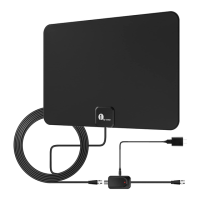
The 1byone HDTV Antenna is designed to receive digital television signals, allowing users to access free over-the-air channels. It can be connected directly to Smart TVs and HDTVs, or to older TVs (pre-2009) via a digital converter box (not included). The antenna aims to provide a reliable and clear picture by optimizing signal reception.

Important Technical Specifications:

While specific technical specifications like frequency range or gain are not explicitly listed, the guide implies different antenna models or configurations based on distance from broadcast towers:

  • Up to 35 Mile Range: For houses within 35 miles of the tower, a direct connection to the TV is suggested.
  • 35-80 Mile Range: For houses within 35-80 miles of the tower, an amplifier is recommended for enhanced gain and range.
  • Digital Converter Box Requirement: For TVs without an HD tuner (typically pre-2009 models), a digital converter box is necessary, and the antenna connects to the converter box, which then connects to the TV.

Usage Features:

Preparation and Connection:

  1. TV Type Check: Determine if your TV is a Smart TV/HDTV (direct connection) or an older TV requiring a digital converter box.
  2. Broadcast Tower Location: Users are advised to find the location of local broadcast towers using websites like FCC (www.fcc.gov/media/engineering/dtvmaps), TV Fool (www.tvfool.com/), or Antenna Web (antennaweb.org/Address). This helps in determining the best mounting position.
  3. Antenna Placement:
    • Place the antenna in or near a window facing the direction of the TV broadcast tower.
    • Height and direction significantly affect reception strength.
    • For houses near mountains, tall trees, or buildings, laying the antenna flat on a table or other surface might be beneficial.
    • Place the antenna as high as possible.
    • A longer coaxial cable may be needed if the TV doesn't have enough space behind it or to reach a window facing the broadcast tower.
    • Avoid mounting locations obscured by large trees, sheds, garages, or other obstructions.
  4. Amplifier Use: If using an amplified antenna, first try it with the amplifier turned off. If reception is not good, turn on the amplifier to improve reception and rescan for channels.

Channel Scanning:

  1. Initiate Scan: After connecting the antenna, use the TV remote to access the "Menu" button and find "Scan" or "Setup."
  2. TV Input Setting: Ensure the TV is set to "Air" or "Antenna" input, not "Cable."
  3. Completion: The channel scan will take a few minutes, and digital signals will be received once complete.

Troubleshooting and Optimization:

  • Regular Rescanning: Rescan for channels regularly, especially after moving the antenna or during inclement weather, as new stations might become available or reception might improve.
  • Experiment with Location: Try different antenna locations in your house to find the best spot.
  • Face Broadcast Towers: Always orient the antenna towards the TV broadcast towers.
  • Use Amplifier: Utilize the amplifier when needed to boost reception.
  • Eliminate Interference: Keep the antenna away from electronics and electric equipment.
  • Factors Impacting Reception: The guide lists several factors that can degrade reception, including:
    • Too long of a coaxial cable.
    • Metal near or around windows.
    • Low E-glass windows.
    • Electronics and electric equipment near the antenna.
    • High wind.
    • LED lights.
    • Proximity to major freeways or airports.
    • Terrain obstructions like hills, mountains, trees, and buildings.

Maintenance Features:

  • Warranty: The product comes with a 90-day return policy and a 24-month (2-year) full warranty.
  • Customer Service: 24-hour customer service is available. Contact information for the United States, United Kingdom, Germany/France/Italy/Spain, and Japan is provided via phone and email.
  • Signal Research: If unable to receive a signal after following all instructions, customers can contact 1byone via Amazon or email. Experts can perform signal research to determine the best antenna for the location, offering exchanges or replacements with more powerful antennas at no cost, or a full refund.

Company Information:

1byone Products Inc. 1230 E Belmont Street, Ontario, CA, USA 91761 Customer Service: +1 909-391-3888 Website: www.1byone.com
1byone HDTV Antenna Specifications

General IconGeneral
Brand1byone
ModelHDTV Antenna
CategoryAntenna
LanguageEnglish

Related product manuals