10
Sharing
Sharing an access
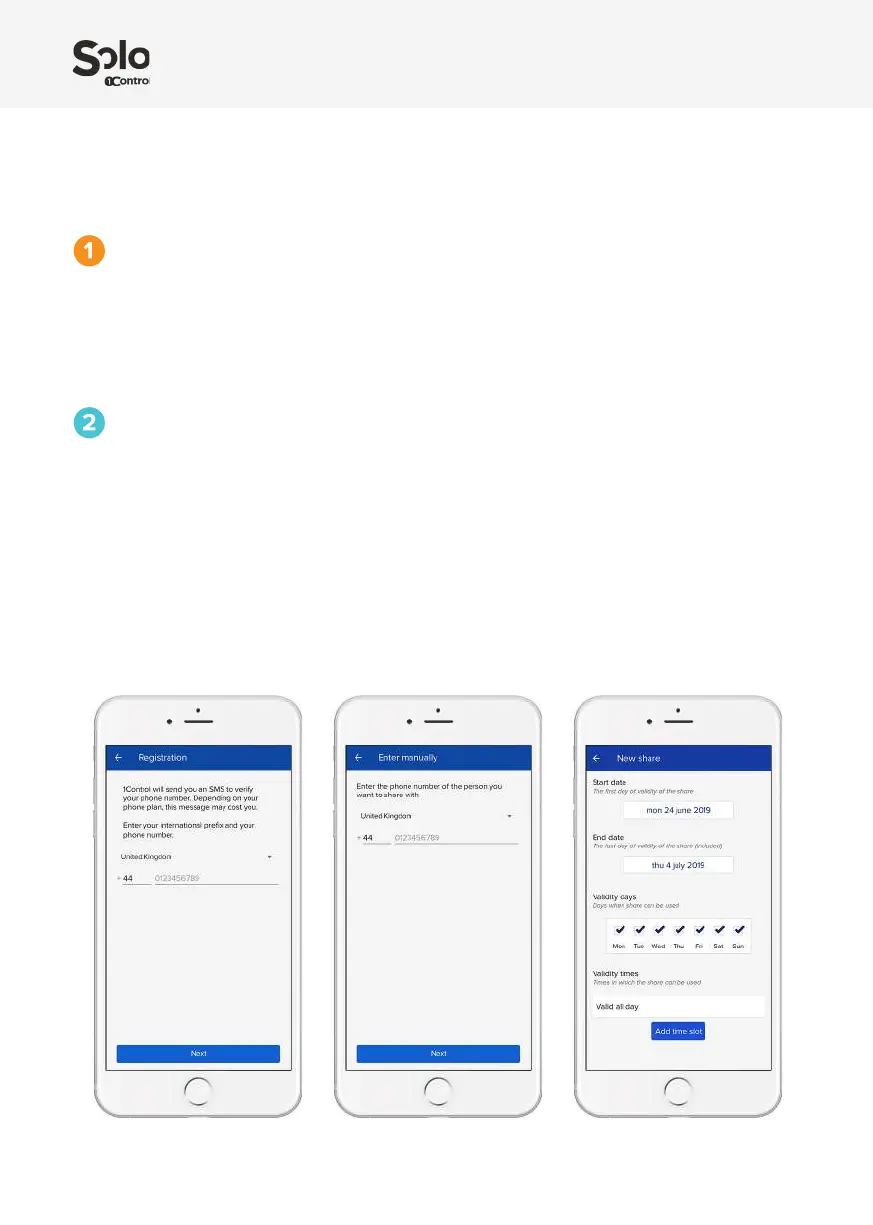
Registration
Registration requires you to enter your phone number and your name.
You will receive an SMS conrmation code to enter on the app.
Ask the person who is to receive the share to download the app and register.
Sharing
Click on the “Share” menu, select your SOLO and choose the gate or garage you want to share.
Enter the phone number of the person you want to share with or select it directly from your
address list. You can set an automatic expiration and set the time slots and days of the week
when it can be used.
The gate or shared garage will appear on the app of the receiving person. You can change or
revoke sharing whenever you wish.
Only SOLO administrators can create and edit shares.


 To Next Page