15
SOLO technical data sheet
Date and time
SOLO is equipped with an internal clock that is used
to check users temporal access rights. The internal
clock manages the European Daylight Saving Time
autonomously. The date will be set automatically by the
app when it rst starts up.
Data and limitations
SOLO can control up to 4 dierent remote controlled
automations.
It can be used by 10 people/smartphones, and you can
buy additional users from the app.
App
The “1Control” app is free and can be downloaded from
iPhone and Android stores.
It is compatible with the following systems:
- Smartphone iPhone 4S or later with iOS 9 or later
- Android Smartphone with 4.3 or later and Bluetooth
LE 4
The 1Control app can handle and control more than one
1Control device at the same time.
First installation
1. Download the 1Control app from your smartphone
store
2. Connect to SOLO via the app and set a secret PIN
code
3. Clone the remote control following the in-app Wizard
4. Position SOLO close to the automation to to be
controlled
Copying a remote control
Copying a remote control is done following the in-app
wizard.
SOLO can automatically recognize the type of remote
control that you are copying and provide the appropriate
copy procedure via the app.
Note: when copying a remote control it is better to be
near the relevant gate or garage. The complete list of
compatible remote controls is available on the 1Control
website or in the full Instruction Manual.
Sharing
Device administrators can share an access memorized
on the SOLO app.
All users who wish to receive a share must register via
the app by entering their phone number.
NB: You cannot use the same phone number to register
from dierent smartphones.
The administrator may share an access with a user
by indicating their phone number. You can set time
constraints (start and end date, days of the week, hours
of the day) to shares.
To share an access, you do not need to be near the
device. This can also be done remotely.
Restoring to factory settings
You can completely delete all data memorized on SOLO
by restoring it to factory settings. To restore, press and
hold the internal button for more than 10 seconds. The
device can be reset for up to 2 minutes.
Restoring the device causes the loss of all memorized
remotes and invalidates any shares which have been
created.
After-sales service
In case of problems please email us at support@1control.it
Package contents
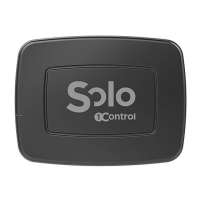
1 SOLO device
1 support for wall or pole fastening
2 dowels for wall attachment with required screws
2 pole fasteners
2 batteries (already installed)
Other data
Dimensions: 39x102x134 mm
Weight (including batteries): 350g
GTIN/EAN Code: 8056772850130 (EU market)
8056772850239 (FR Market)


 To Next Page
 Loading...