7
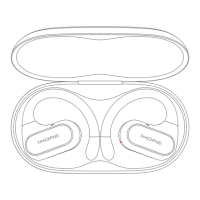
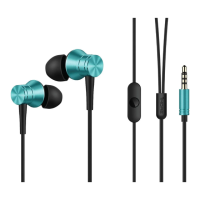
Device Overview
Button Functions and Controls
Power Button :
• Power On: Press and hold for 2 seconds.
• Power Off: Press and hold for 5 seconds.
Playback Controls:
• Play/Pause: Click once.
Phone Call Controls:
• Answer/Hang Up Call: Click once.
• Switch to Mobile Phone: Double-click during a call.
• Decline Incoming Call: Press and hold for 2 seconds.
• Activate Voice Assistant: Double-click (Bluetooth must be on and not during a
call).
Noise Cancellation (NC) Button:
• Cycle Through Modes: Click to toggle between ANC ON, Pass-Through
(transparency mode), and ANC OFF.
Volume and Track Controls:
• Volume Increase (+):
o Click once to increase the volume.
o Press and hold for 2 seconds to skip to the previous track.



 To Next Page