11
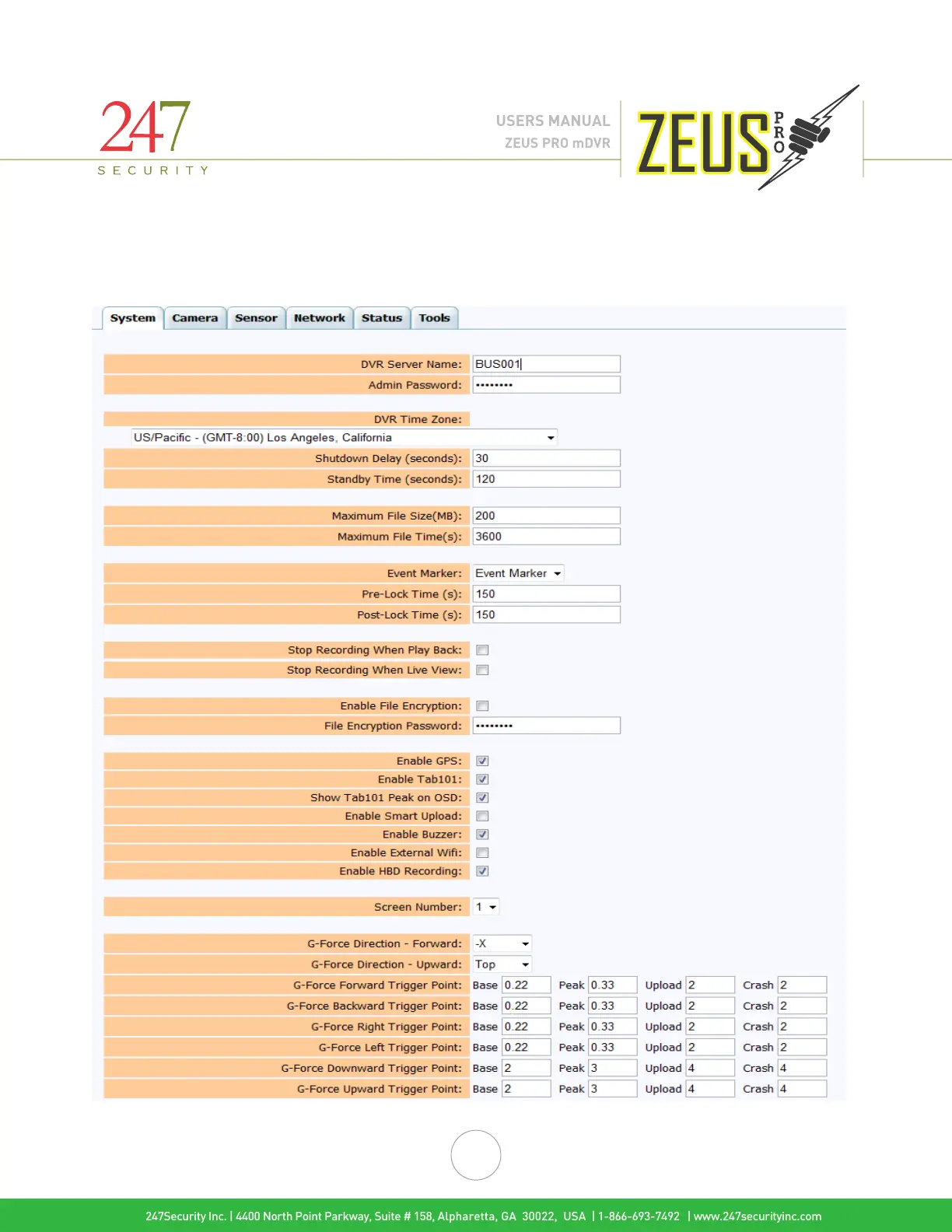
Each individual camera channel can also be given a unique name to help identify cameras and their locations when
multiple cameras are installed. The names can be changed in their respective
Camera pages of Setup.
Note: The custom names of your DVR and camera channels must be alphanumeric (letters A through Z; numbers 0
through 9). The names cannot contain spaces, special characters, or punctuation.
247Security Inc. | 4400 North Point Parkway, Suite # 158, Alpharetta, GA 30022, USA | 1-866-693-7492 | www.247securityinc.com
ZEUS PRO mDVR
USERS MANUAL



 To Next Page
 Loading...


