EasyManua.ls Logo

25-Seven PDM II - User Manual

25-Seven PDM II
49 pages
Print Icon
To Next Page IconTo Next Page
Loading...
PDM II
PDM II User Manual
Front Panel Overview
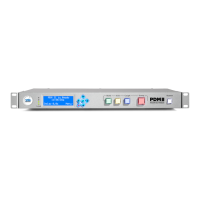
Figure 1 - Front panel controls
The Input Level Meter (A) monitors the signal going into PDM II’s processing circuit. As they follow the A/D
converter in the signal path, they will accurately monitor the input regardless of the Input Sensitivity setting.
Note that this is a peak meter to be used as a diagnostic tool for setting input levels; it does not display RMS
voltage or a time-integrated level and is not intended to be a replacement for a more sophisticated loudness
meter.
Four dark LEDs: The input signal is below -36 dBFS.
One Green LED: The input signal is above -24dBFS.
Two Green LEDs: The input signal is above -18dBFS.
Three Green LEDs: The input signal is above -12dBFS.
Four Green LEDs: The input signal is above -6dBFS.
Top LED is Yellow: The input signal is above -0.5dBFS.
Top LED is Red: The input signal is above +0.5dBFS.
All LEDs are Yellow: The unit is expecting a Livewire input but not seeing a valid signal, or there is an
internal error.
Question and Answer IconNeed help?

Do you have a question about the 25-Seven PDM II and is the answer not in the manual?

Overview

The PDM II is an advanced time-manipulation tool for radio broadcasters, designed to create a buffer of delayed audio to prevent objectionable material from being aired. It supports both front-panel and web-based remote control for setup, configuration, and operation.

Function Description:

The primary function of the PDM II is to build a delay buffer, dump objectionable content from this buffer, and exit the delay to return to real-time audio.

  • Building a Delay: This process records incoming audio into the PDM II's delay memory. It can be achieved by:
    • Expanding: Subtly slowing down the signal sent to the transmitter while storing the real-time signal.
    • Inserting Content: Playing a pre-selected audio file (jingle, ID, or fill material) from internal memory while the studio signal is sent to delay memory.
    • Pre-rolling: Muting the output while recording studio audio to the buffer, allowing talent to start before scheduled airtime, often used for network feeds.
  • Dumping Objectionable Content: When the red "Dump" button is pressed, the PDM II eliminates the last few seconds of audio from the buffer. The amount of audio dumped is configurable.
    • Normal Dump Mode: Deletes objectionable audio and "jumps ahead in time," then rebuilds the delay buffer using subtle time expansion.
    • OverKill™ Mode: Plays a pre-selected internal audio file in place of objectionable audio, maintaining the delay buffer without needing to rebuild.
  • Cough Mode: Pressing and holding the blue "Cough" button stops new audio from being stored in the delay memory, allowing talent to speak off-air. Delayed audio from the buffer continues to the transmitter. Releasing the button initiates delay rebuilding.
  • Panic Mode: Activated by holding the "Cough" button for a time exceeding the available buffer. The PDM II mutes the output and flashes the "Cough" button light to warn of dead air. This mode is only available in Normal dump mode.
  • Exiting Delay: Returning to real-time audio can be done in two ways:
    • Roll Out: Plays delayed audio at normal speed until the buffer is empty, then passes incoming audio directly to the output.
    • Compress: Plays remaining buffered audio at a slightly faster speed using time compression until it catches up with the input, then drops into non-delay mode.
    • Quick Exit with Compressed Roll Out: A faster method combining elements of both, where the talent stops talking, and the producer presses "Bypass" after the talent's final word.

Important Technical Specifications:

  • Input Level Meter (A): Monitors signal going into the processing circuit, accurately reflecting input regardless of Input Sensitivity. It's a peak meter for diagnostic use, not a loudness meter.
    • Four dark LEDs: Input signal below -36 dBFS.
    • One Green LED: Input signal above -24dBFS.
    • Two Green LEDs: Input signal above -18dBFS.
    • Three Green LEDs: Input signal above -12dBFS.
    • Four Green LEDs: Input signal above -6dBFS.
    • Top LED Yellow: Input signal above -0.5dBFS.
    • Top LED Red: Input signal above +0.5dBFS.
    • All LEDs Yellow: Livewire input expected but no valid signal, or internal error.
  • Analog Input Sensitivity: Recommended setting is +14 dBu = 0 dBFS, providing 10dB of headroom.
  • AES3 Default Output Rate: Can be set to 32, 44.1, or 48kHz.
  • AoIP TX Type: Audio over IP can be sent as standard AES67 or Livewire stream, or disabled.
  • Delay Buffer: Can store a minimum of 1.0 second up to a maximum of 90 seconds of audio.
  • Build/Exit Speed: Default value is 7. Higher values build delay faster but may cause audible artifacts. Max speed can be set to limit this.
  • Audio Files: Supports linear (non-compressed) 16-bit stereo or dual-channel mono .wav files for insert/overkill modes. Maximum supported file size is 6MB, with up to 150MB of total audio storage. Files should have a 48kHz sample rate.
  • Networking: Two RJ45 Ethernet ports ("Primary" and "Secondary"). Primary supports Power over Ethernet (PoE) and Livewire+/AES67. Secondary does not. Only one port can support DHCP, DNS, and Gateway at a time.
  • Delayed Data Streams: Can delay two serial data streams (Data Stream A and B) for PAD or other information, keeping them in sync with program audio. Supports Local TCP, Local UDP, and Remote TCP/UDP ports for input/output.
  • GPIO: Five opto-isolated inputs and five outputs for remote control via a DB-15 connector. A +5V supply and ground are available. Inputs require at least 6mA. Outputs can carry up to 25mA and 30VDC. Output pulse length is adjustable from 100ms to 1000ms (default 250ms).
  • Serial Remote Control: Commands and queries transmitted as TCP socket connections to port 5443. Uses ASCII characters and plain English commands.

Usage Features:

  • Front Panel Controls:
    • LCD Display (B): Shows status and provides a menu system.
    • Navigation Cluster (C): Left, right, up, down arrows for navigation and value adjustment; green "checkmark" for Enter/confirm; red "X" for Cancel/exit without saving.
    • Operational Buttons: Green "Build" (D), yellow "Exit" (E), blue "Cough" (F), red "Dump" (G), and "Bypass" (H).
  • Web-Based User Interface (GUI): Provides remote access to all front-panel functions and additional features.
    • Access via web browser by entering the PDM II's IP address.
    • Requires a password for remote access.
    • Supports "Mini Front Panel" windows for simultaneous control of multiple units.
  • PD-Alert System: Automatically sends e-mail text alerts or actual audio files when the "Dump" button is pressed. Configurable mail server, username, password, TLS encryption, sender, context (audio before/after dump), attached audio file format (Uncompressed WAV, High Quality MP3 160 Kbps, Voice Quality MP3 40 Kbps), and recipient e-mail addresses.
  • Dump Archive Page: Lists all stored dump files (OffAir and OnAir audio) for playback or download. Files are date and time stamped.
  • AoIP Synchronization: Supports Livewire slave or PTP/IEEE 1588 slave for clock synchronization, with configurable PTP Domain, Delay Mechanism (E2E or P2P), Clock Priority (1 and 2), Sync Interval, and Announce Interval.

Maintenance Features:

  • Firmware Upload and Switch: Two software banks (Bank 0 and Bank 1) allow uploading new firmware versions and switching between them.
  • Download Log Packages: Provides links to download log files (last 5 days, last 30 days, or all stored logs) for technical support.
  • Reboot Unit: Remote reboot functionality via the web GUI.
  • GPIO Self-Resetting Thermal Circuit Breaker: Protects the +5V supply on the DB-15 connector. If tripped, power off the unit for several minutes to reset.

25-Seven PDM II Specifications

General IconGeneral
Brand25-Seven
ModelPDM II
CategoryRecording Equipment
LanguageEnglish