P O Box 159 • Crestwood, KY 40014 • (502) 243-0042 • (502) 243-0039 fax
www.e2di.com • info@2di.com
Wired Sensors
1. Useful materials for your TV2, including the Care and Use guide can be
downloaded here: http://www.e2di.com/support
Please print the Users Guide.
Your TV2 comes with free software to copy the logged data from your TV2to your computer.
To download the free TView software go to
www.e2di.com
and place your mouse cursor on
Support
. Then click on the first subheading. Next click on the link #2:
PC Interface
Software
. Click on TView and copy the software to your desktop, unzip it and click on
'Setup' to install. It installs like any other windows software.
Note: Uninstall any previously installed version of TView before installing the latest version.
Although you should use the Users Guide to familiarize yourself with the TV2 before setting
it up, you can follow the quick-start instructions below, if you are in a hurry.

 Need help?
 General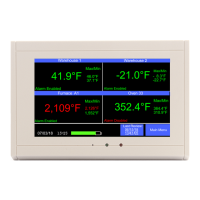

 To Next Page