CPE Assembly Instructions
Assembly of the mounting bracket
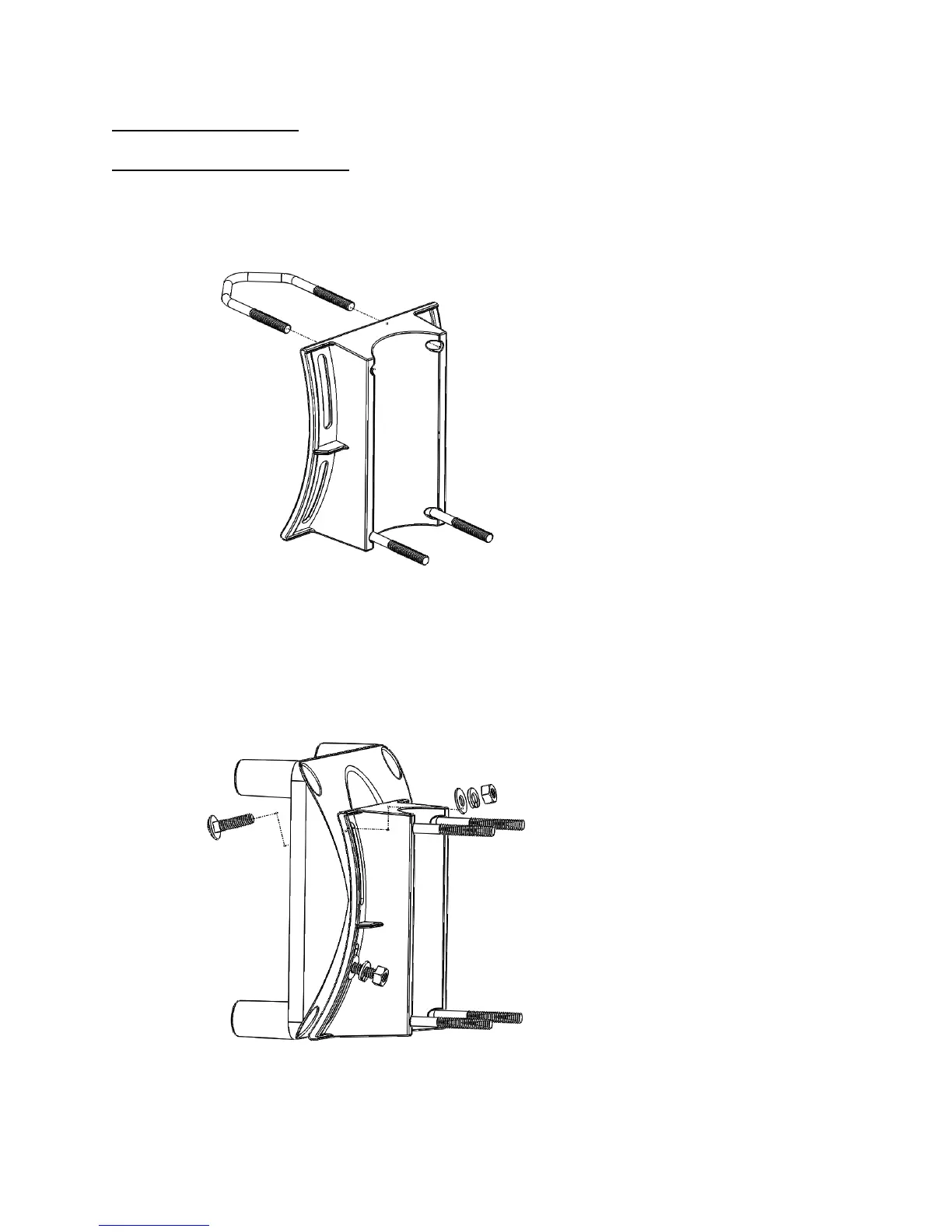
1. Insert both V-bolts through the inside of mounting bracket 1. The completed step should look
like this.
2. Insert (4) of the 1” carriage bolts through the flat side of mounting bracket 2 as shown. Seat the
base of the carriage bolt into the square hole in the bracket. Place the 2 halves of the bracket
together, the larger end of bracket A should be facing downwards. Bolt plastic brackets together
using (4) flat washers, (4) lock washers, and (4) ¼”-20 hex nuts. Finger tighten only. These bolts
will be tightened during installation and adjustment. Set the assembly aside.



 To Next Page