EasyManua.ls Logo

3A Game Electronic Technology PANDORA BOX DX SPECIAL - User Manual

3A Game Electronic Technology PANDORA BOX DX SPECIAL
16 pages
Print Icon
To Next Page IconTo Next Page
Loading...
PANDORA BOX DX
SPECIAL
Arcade Version
Manual
Question and Answer IconNeed help?

Do you have a question about the 3A Game Electronic Technology PANDORA BOX DX SPECIAL and is the answer not in the manual?

Summary

Mainboard Picture and Interfaces

Jamma Interface Definition

Defines the pinout and connections for the JAMMA interface standard, detailing ground, power, and signal pins.

Mainboard Specifications

Details technical specifications including CPU, GPU, RAM, storage, resolution, video/audio ports, and physical dimensions.

Product Functions and Updates

DX Update New Functions

Highlights new features like game save/load, high score auto-store, secondary game menus, and expanded game support.

Resolution Settings

System Configuration and Settings

IO Test

Tests the normal operation and functionality of the game controller inputs to ensure proper response.

Custom Button Mapping

Allows users to customize button mappings for arcade controllers and standard USB gamepads.

System Configuration

Configures system-wide settings including credit setup, exit modes, pause menus, auto exit, game selection, quality, scanning lines, and timer modes.

Game Time Settings

Sets the duration of gameplay per coin when the system is operating in timer mode.

Gamepad Controller Setup

Configures controller assignments for 1, 2, 3, or 4 player modes based on connected devices.

Game Settings Management

Allows adjustment of game difficulty, lives, editing game lists, and managing favorite games.

Book Keeping and Password

Records total coin insertions, allows clearing of records, and managing the system password.

Language and Startup Options

Sets the UI language and configures whether demo movies are displayed on startup.

Save and Factory Settings

Options to save current settings or restore the system to its original factory defaults.

Abnormal Condition Diagnosis

Overview

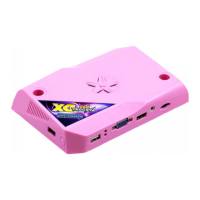
The Pandora Box DX Special Arcade Mainboard is a gaming console designed for arcade and retro home console games, optimized for high-quality display and an enhanced gaming experience.

Function Description

The mainboard comes pre-loaded with a selection of classic retro arcade games and home console games. It supports up to four controllers, allowing for multiplayer games with 3 or 4 players. The device offers extensive customization options, including personalized controller button settings, and allows users to edit a list of up to 99 favorite games for quick access. A game save/load state feature enables players to save their progress at any point and resume later. The system also automatically stores high scores, displaying the player's name in the ranking upon returning to the game menu. A secondary game selection menu, accessible by pressing 1P start, provides options to quickly jump to recent games, search for games by name, and filter for 3D games or 3/4 player games. The system includes a pause function during gameplay. For arcade setups, it supports coin mode with various exit options, including a menu exit, 1P start + coin, or holding 1P start for 3 seconds. It also features a timer mode for both arcade and home games, where 1 coin can be set to 1-60 minutes of game time. An auto-exit function can be enabled to return to the game menu if no joystick or button input is detected for 3 minutes.

Important Technical Specifications

  • CPU: Quad-core Cortex-A7 1.3GHz
  • GPU: Mali-450MP2
  • Resolution: Supports 1280x720 (720P), 640x480, and 384x224 (CRT 15KHz). The default output is 1280x720.
  • System Storage: 1GB System Storage / 32GB MicroSD (TF) or USB EXTRA. The basic storage of the mainboard is 32GB, with 2GB reserved for game save states and high scores. Users can add more games by replacing the U disk or TF card with a larger capacity.
  • RAM: 2GB DDR3/1866MHz
  • Soundcard: 5.1 surround sound
  • Joystick Input: 2x USB2.0
  • Video Ports: 1x HDMI, 1x VGA
  • Audio Ports: 1x 3.5mm AUX port, Jamma Speaker output. Supports HDMI audio and AUX audio output simultaneously.
  • Control Interface: 1x Jamma
  • Power Input: +12V/1A, +5V/2A
  • Work Environment: Temperature 5°C-45°C, Humidity 30%-90%
  • Mainboard Size: 180mm x 120mm x 35mm
  • Net Weight: 0.22Kg

Usage Features

  • Resolution Settings: Users can switch between 1280x720, 640x480, and 384x224 resolutions by holding the Setting Button and turning on the power, then releasing the button after 2 seconds.
  • Setting Menu: Accessible from the game menu or during gameplay by pressing the setting button.
  • IO Test: A feature to test the normal operation of the game controller.
  • Custom Button Mapping: Allows customization of arcade buttons (A-H) and standard gamepads. Users can hold 1P or 2P start for 3 seconds to enter custom state, map buttons, and save settings. The system supports over 90% of USB type controllers and joysticks.
  • Restore Default Custom Button: Options to restore default button settings for both the console and gamepad.
  • System Configuration:
    • Credit Setting: Configures the system for "free play" (family mode) or coin mode (e.g., 1:1, 2:1...9:1, 1:2...1:9).
    • Exit Game Mode: Sets how to exit a game in coin mode (Menu Exit, 1P Start + Coin, or Hold 1P Start for 3 seconds).
    • Pause Menu: Can be turned ON/OFF, working in conjunction with the "Exit Game Mode" for convenient exiting.
    • Auto Exit: If enabled, the game returns to the game menu after 3 minutes of inactivity.
    • Select Game Mode: Determines if joystick movement is allowed to select games after inserting a coin ("With Coin") or at any time ("Always").
    • Quality Optimization: Toggles between using graphic card software for high-quality output or the original game screen.
    • Scanning Line: Displays classic CRT monitor-like scanlines (ON) or optimizes the picture for new LCD screens (OFF).
    • Timer Mode: Sets whether only home games use timer mode with coin insertion, or if both arcade and home games use timer mode.
  • Game Settings:
    • Difficulty & Life Setting: Allows modification of difficulty and number of lives for individual games. A "Unified Set" option applies a standard setting to the selected game.
    • Edit Games List: Users can hide/display games on the main menu. Hidden games are marked with a special icon. An option to display all games is available. A specific game can be set to auto-start on console boot-up, hiding all other games.
    • Edit Favorite List: Games can be marked as favorites (up to 99), appearing at the top of the game menu. Favorites can be canceled.
  • Book Keeping: Records the total number of inserted coins. Users can clear coin records and change the password (default: 55555555).
  • Language: Supports English, Spanish, and Korean.
  • Boot Demo Movies: When a game is locked in the edit game list, demo videos can be turned OFF for faster game startup.
  • Save Setting: Saves all changed settings. The system will auto-restart after saving.
  • Factory Setting: Restores the mainboard to factory default settings.

Maintenance Features

  • Troubleshooting Guide: Provides solutions for common issues:
    • No power response/LED not lit: Suggests power supply or console abnormality. Recommended action: Replace power supply or contact dealer.
    • No video signal: Checks HDMI/VGA cable connection and monitor input signal. Recommended action: Replace display cable or monitor.
    • No sound: Indicates abnormal speaker wires. Recommended action: Check speaker wires.
    • Button wrong position: Points to button wire connection error. Recommended action: Exchange the wire.
  • Health Concern Advice: Recommends limiting game hours and avoiding prolonged screen time in dark environments, suggesting regular breaks.

3A Game Electronic Technology PANDORA BOX DX SPECIAL Specifications

General IconGeneral
Brand3A Game Electronic Technology
ModelPANDORA BOX DX SPECIAL
CategoryGame Console
LanguageEnglish

Related product manuals